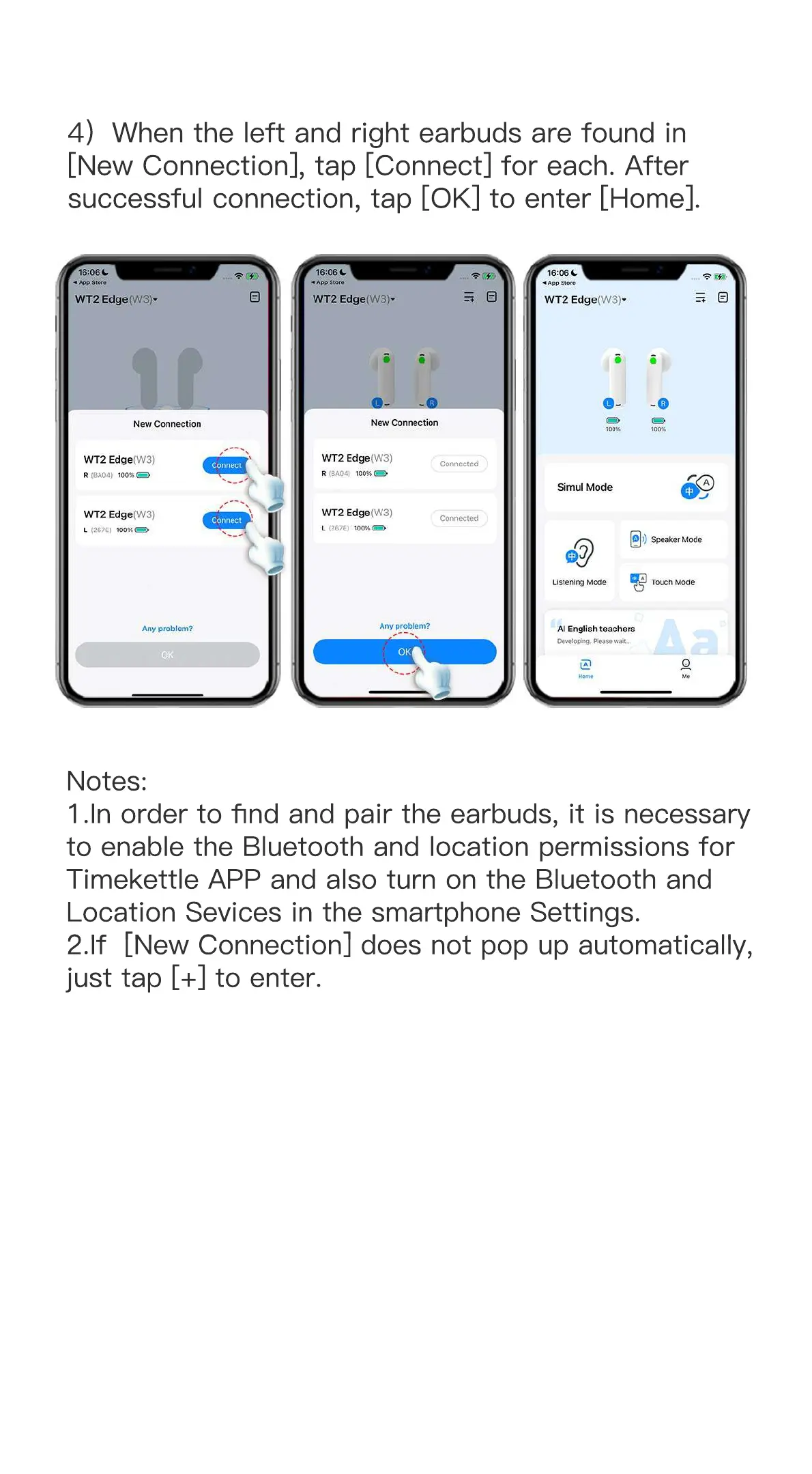
4)When the left and right earbuds are found in
[New Connection], tap [Connect] for each. After
successful connection, tap [OK] to enter [Home].
Notes:
1.In order to find and pair the earbuds, it is necessary
to enable the Bluetooth and location permissions for
Timekettle APP and also turn on the Bluetooth and
Location Sevices in the smartphone Settings.
2.If [New Connection] does not pop up automatically, 2.If [New Connection] does not pop up automatically,
just tap [+] to enter.


 To Next Page