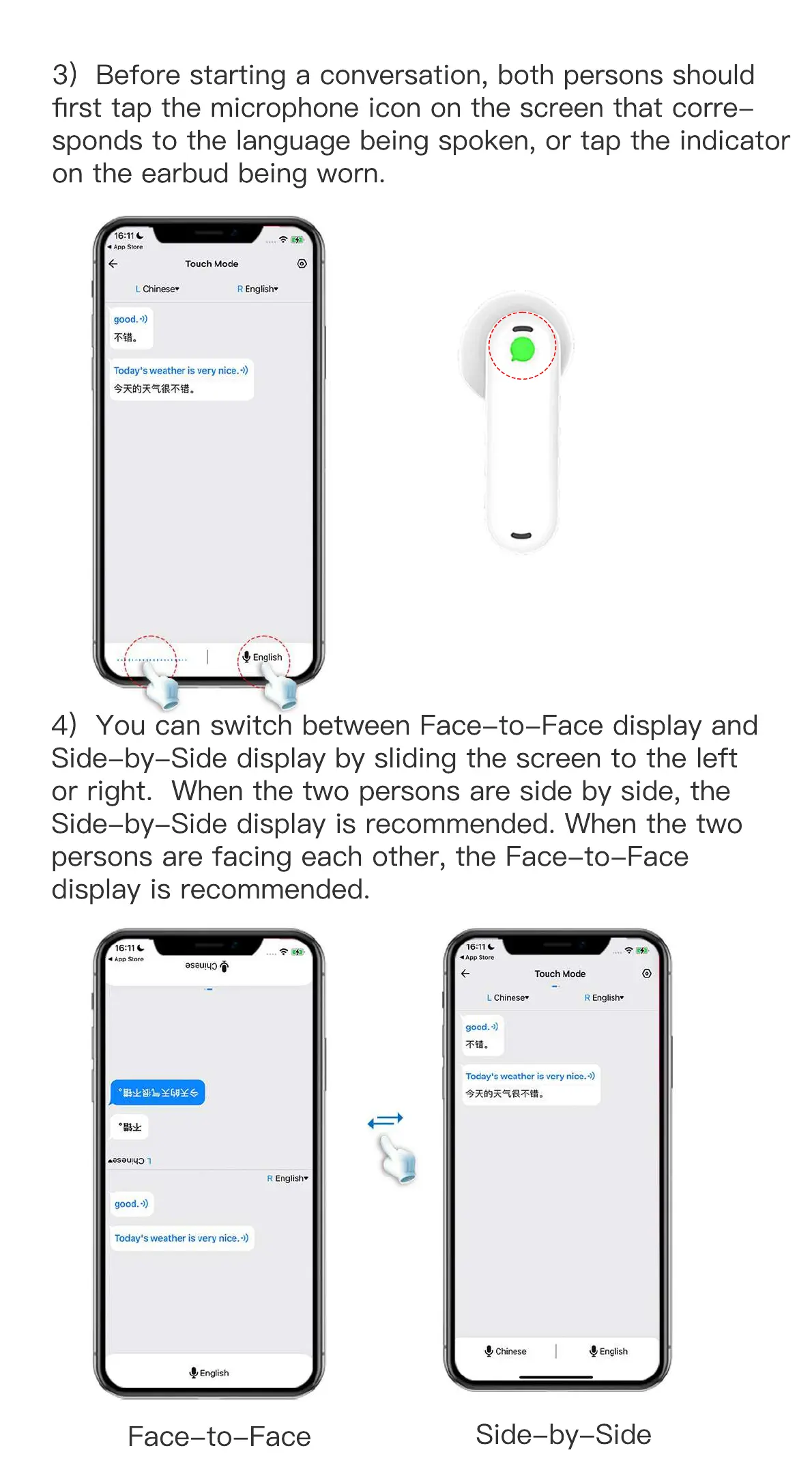
4) You can switch between Face-to-Face display and
Side-by-Side display by sliding the screen to the left
or right. When the two persons are side by side, the
Side-by-Side display is recommended. When the two
persons are facing each other, the Face-to-Face
display is recommended.
3) Before starting a conversation, both persons should
first tap the microphone icon on the screen that corre-
sponds to the language being spoken, or tap the indicator
on the earbud being worn.
Face-to-Face
Side-by-Side


 To Next Page