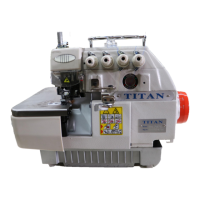
PARAMETER SETTINGS ON THE EFKA MOTOR
PLEASE NOTE
As the Controller is programmed with a memory key from Titan and you want to
change some parameters. It is necessary to erase the settings from the memory key by
changing the parameter 399 cFP.
To activate this parameter you have to do following steps :
1. Enter Code 3112
2. Go to parameter 399 and push ENTER
3. Push on the arrow and ENTER again CODE 3112
4. Press two (2) times on P
5. Power off, wait for one second
6. Power on.
ELECTRONIC MOTOR SETTINGS EFKA :DC 1500/1550 SERIES
USE SETTINGS ONLY FOR DK 2500 OVEREDGING MACHINES!!
- POWER OFF
- POWER ON AND PRESS P KEY
- PRESS >> KEY
- SET SUPPLIER LEVEL CODE NUMBER 3112
- PRESS E KEY
- PARAMETER .2.0.0. IS DISPLAYED
- PRESS KEY >> AND CHANGE PARAMETER .2.0.0. TO .1.1.1.
- PRESS E KEY
- SET VALUE ON 2800 BY PRESSING + OR – KEY
- PRESS E KEY
- PARAMETER .1.1.2. IS DISPLAYED
- PRESS >> KEY AND CHANGE PARAMETER .1.1.2. TO .1.1.9.
- PRESS E KEY
- SET VALUE ON 3 WITH + OR – KEY
- PRESS E KEY
- PARAMETER .1.2.1. IS DISPLAYED
- PRESS >> KEY AND CHANGE PARAMETER .1.2.1. TO .1.5.3.
- PRESS E KEY
- SET VALUE ON 15 WITH + OR – KEY
- PRESS E KEY
- PARAMETER .1.5.5. IS DISPLAYED
- PRESS >> KEY AND CHANGE PARAMETER .1.5.5. TO .5.0.0.
- PRESS E KEY
- SIR- IS DISPLAYED
- PRESS >> KEY
- PARAMETER .2.9.0. IS DISPLAYED
- PRESS E KEY AND SET VALUE TO 05WITH + OR – KEY
- PRESS E KEY
- PARAMETER .1.6.1. IS DISPLAYED
- PRESS E KEY AND SET VALUE TO 0 WITH + OR – KEY
- PRESS E KEY
- PARAMETER .2.7.2. IS DISPLAYED
- PRESS E KEY AND SET VALUE TO 0739 WITH + OR – KEY
- PRESS E KEY


 To Next Page