22 English
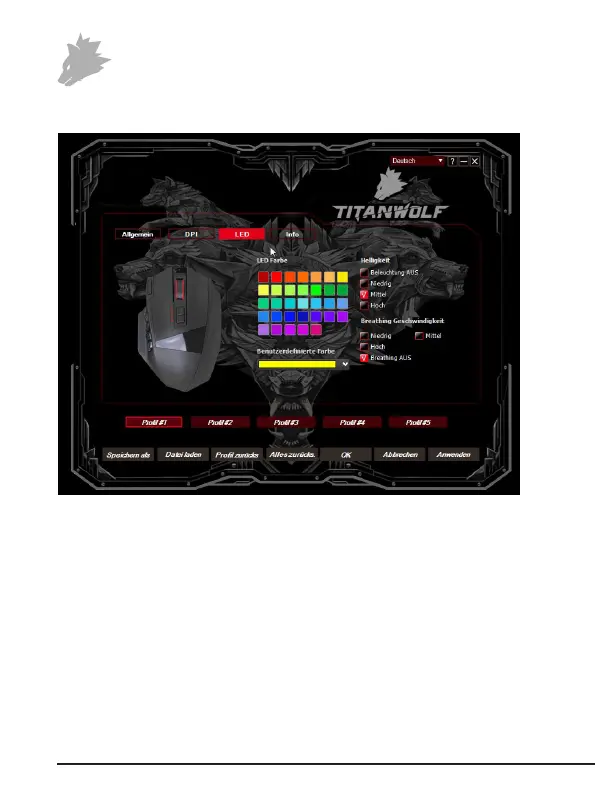
5.2.3 LED
The mouse wheel light indicates which prole is currently acve:
• Yellow: Prole 1
• Green: Prole 2
• Blue: Prole 3
• Violet: Prole 4
• Red: Prole 5
You can customise the LED light of the logo and the side buons for each prole
separately. You can select the colour, brightness and breathing-speed (pulsing) as
desired to customise the appearance. The "Breathing OFF" opon stops the pulsing
and the LEDs glow constantly.


 To Next Page