Need help?
Do you have a question about the TJ Media TDV-4000E and is the answer not in the manual?
Explains warning and caution symbols related to product safety.
Details FCC regulations regarding radio frequency interference.
Details features like song library, search, reservation, and practice.
Covers supported formats, audio output, and video features.
Safety advice for product installation, power supply, and electrical connections.
Safety instructions for operating, cleaning, and maintaining the product.
Introduces the chapter's content and connection guidelines.
Lists compatible media types, formats, and explains regional code restrictions.
Details copyright protection technology and usage restrictions.
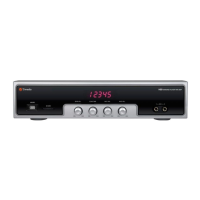
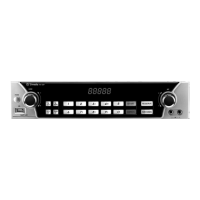
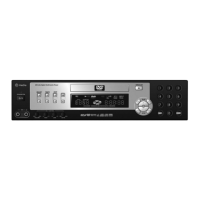
Identifies all buttons, ports, and displays on the front panel.
Details all input/output ports located on the rear panel.
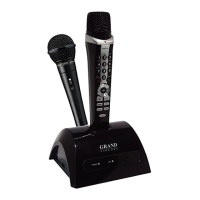
Lists the items provided with the DVD Karaoke Player.
Explains the purpose and operation of each button on the remote.
Guides battery insertion and specifies remote control range.
Steps to connect the player to a TV for viewing and listening.
Instructions for connecting to both a TV and an audio system.
Guide for connecting to a 5.1 channel analog audio amplifier.
Guide for connecting to a 5.1 channel digital audio amplifier.
Steps to take before using karaoke functions, including warnings.
Operations for starting, stopping, pausing, and playing a song's first verse.
Process for adding songs to the queue and removing them.
How to display the list of songs that have been reserved.
Controls for changing the pitch and speed of songs.
Functionality to skip parts of songs like preludes or interludes.
How to change the song's rhythm and apply equalizer presets.
Using subtitle shadowing and selecting background visuals (BGV).
Controls for overall volume, melody level, and vocal track volume.
Muting audio and adjusting microphone volume and echo.
Methods to search for songs by area, title, singer, or specific words.
Playing songs based on genre or for special events.
How to find and search for newly added songs on a disk.
Adding, viewing, and playing songs from the favorite list.
Using the practice mode with vocal guides and its limitations.
Configuring the on-screen display language and audio track language.
Settings for audio output types, fanfare, and logo song playback.
Setting usage modes like Free Play, Coin-based, or Time-based.
Options to enable or disable score display and reserved song list.
Setting passwords and restoring the device to default settings.
Basic preparation and steps before playing a DVD.
Information on the video formats compatible with the player.
Setting languages for OSD, audio, subtitles, and disc menus.
Settings for TV connection type and screen aspect ratio.
Customizing captions, angles, screen saver, video output, and picture mode.
Adjusting digital output, volume, mono modes, and PCM settings.
Configuring Pro Logic and OP modes for surround sound.
Configuring speaker levels, output, and downmix modes.
Setting speaker delay times and using the test tone for calibration.
Locking front panel buttons and setting parental viewing restrictions.
Password setup, factory defaults, and CDG playback modes.
Steps for inserting a disk and initiating playback.
Functions of Stop, Play/Pause, and Open/Close buttons.
Adjusting playback speed and note on audio during fast/slow play.
Moving between chapters, songs, and folders.
Using number buttons to jump to desired chapters or tracks.
Configuring repeat playback for chapters, titles, or the entire disc.
How to select and repeat a specific section of a disk.
Selecting the preferred audio language from available options.
Selecting the preferred subtitle language from available options.
How to change the information shown on the screen during playback.
How to zoom in on the screen and move around the magnified image.
Switching between different camera angles for multi-angle content.
Steps to access and interact with the DVD's menu system.
Choosing specific titles from disks containing multiple entries.
How to view a summary of chapters using the digest feature.
Controls for overall volume and muting audio playback.
Steps to enable or disable the progressive scan video output.
Instructions for selecting and playing MPEG4 files from a disk.
Instructions for selecting and playing MP3 and WMA files and folders.
Instructions for selecting and viewing JPEG image files.
How to rotate JPEG images displayed on the screen.
Instructions for selecting and viewing images from a Picture CD.
How to rotate images from a Picture CD during playback.
Provides guidance on disk care and explains common DVD terms.
Instructions for cleaning, storing, and handling disks to prevent damage.
Technical details on power, dimensions, video/audio outputs, and disc features.
Solutions for common problems like no power, remote malfunction, or poor video.
Solutions for audio quality, language selection, and menu display issues.
Definitions for terms like Regional Code, Dolby Digital, and Aspect Ratio.
Details warranty coverage, limitations, and service conditions.
Information and steps required for registering the product's warranty.
 General
| Brand | TJ Media |
|---|---|
| Model | TDV-4000E |
| Category | Karaoke System |
| Language | English |

 To Next Page