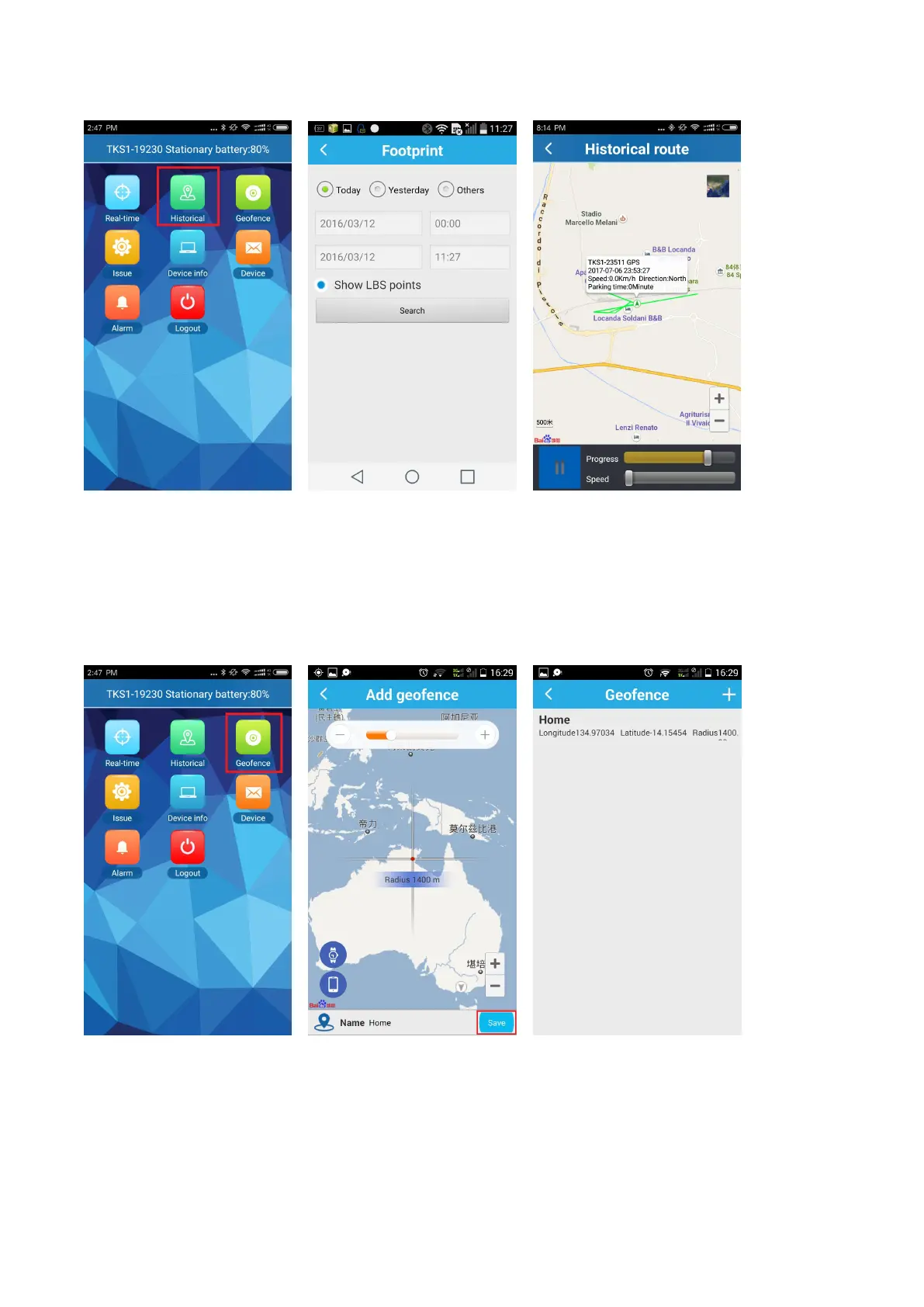
3.3 Geo-fence alarm
Click on the upper right corner “+” under the main menu for setup Geo-fence. Then the device will lock
device’s present position as center automatically, then adjust the radius distance by “+” “-” on map (default
radius is 100 meters, recommended radius is 500 meters). Save the settings by clicking “Save”. The device will
send alarm notice when the device is entering or leaving the circle.
3.4 Alarm notices
All received messages can be found in “Message”, such as offline alarm, low power alarm, Geo-fence alarm
and etc.



 To Next Page