EasyManua.ls Logo

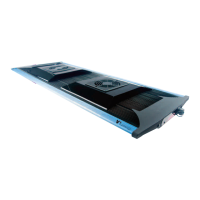
TMC Aquarium V2iLumenAir Compact Connect - User Manual

TMC Aquarium V2iLumenAir Compact Connect
8 pages
Print Icon
To Next Page IconTo Next Page
Loading...
Tropical Marine Centre,
Solesbridge Lane, Chorleywood, Hertfordshire,WD3 5SX, UK
Technical Information Lines
Tel: +44 (0) 1923 284151 Fax: +44 (0) 1923 285840
Open between
9am - 5pm Monday to Thursday/9am - 12pm Friday.
www.tropicalmarinecentre.co.uk tmc@tropicalmarinecentre.co.uk
V2iLumenAir Compact Connect instructions multilingual v1-2016_Layout 1 20/12/2016 09:37 Page 1
Question and Answer IconNeed help?

Do you have a question about the TMC Aquarium V2iLumenAir Compact Connect and is the answer not in the manual?

Summary

V2 iLumenAir Safety Information

V2 iLumenAir Parts List

V2 iLumenAir Installation Guide

Tank Mounting Options

Describes mounting the unit via a tank mounting kit.

Wire Suspension Mounting

Details how to mount the unit using a wire suspension kit.

Power Connection and App Setup

Details connecting the power supply and downloading the V2iLumenAir app.

TMC Aquarium V2iLumenAir Compact Connect Specifications

General IconGeneral
ModelV2iLumenAir Compact Connect
BrandTMC Aquarium
CategoryAquariums
TypeLED Aquarium Light
ConnectivityWi-Fi
ControlApp control
Power SupplyExternal power supply
Suitable forMarine and freshwater aquariums

Related product manuals