Injection Molding Machine Appendix D
D-5 V1.0
Steps: press F2 [ITEM CHANGE] UNTIL [(1)LOAD OS (.OSC)] is showed, Æ use
F3,F4, ↑, ↓ to select screen program, press ENTER to update screen program.
After pre ENTER, operation screen will switch off, and processing system
messages show:
LOAD FILE 100%
CHECK SUM OK
UPDATE TO FLASH 100% OK.
THEN TURN OFF MAIN POWER AND TURN ON AGAIN.
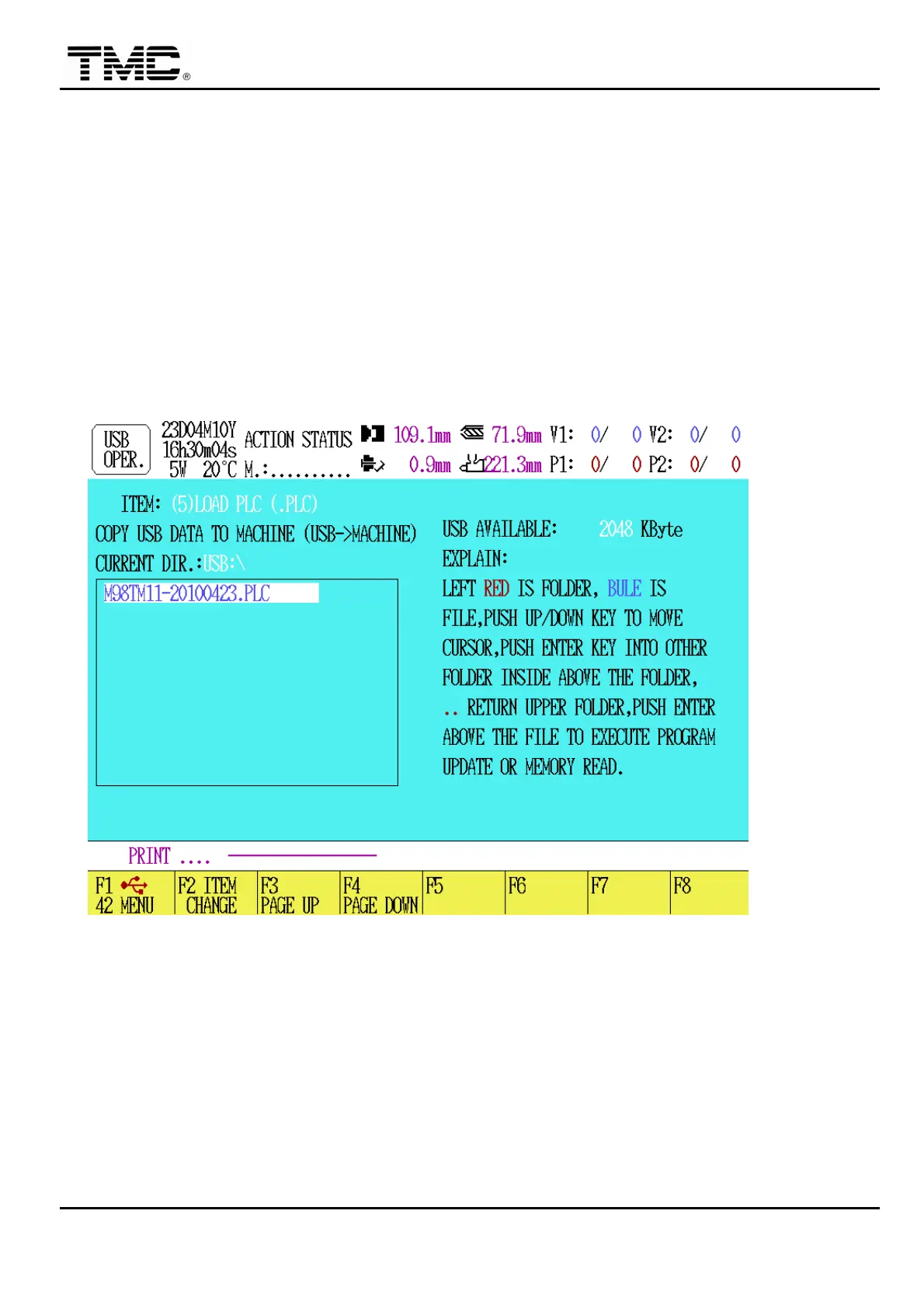
(5) LOAD PLC (.PLC): This function is to update PLC program, the extension
file name can only be .PLC, for example, M98TM11-20100423.PLC (384Kbyte).
Steps: press F2 [ITEM CHANGE] UNTIL [(1)LOAD PLC (.PLC)] is showed, Æ
use F3,F4, ↑,↓ to select screen program, press ENTER to update PLC program.
Wait until system messages show.
UPDATE OK PLEASE RESET SYSTEM


 To Next Page
 Loading...