Injection Molding Machine Chapter 4
V3.0
4-46
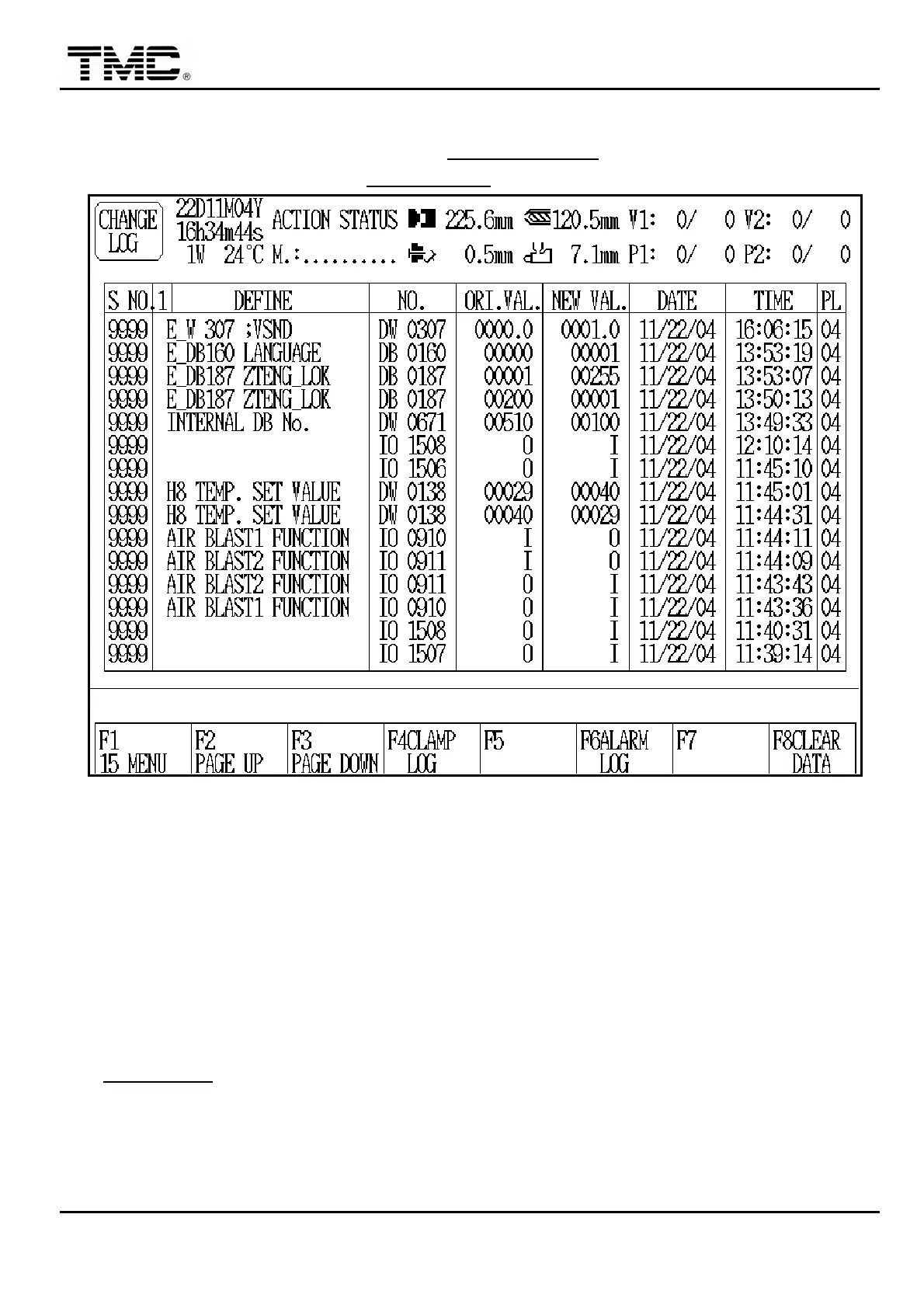
2.23 Change record
On MACHINE MONITORING screen press F5 CHANGE LOG or use direction key to move
the cursor on main menu page to CHANGE LOG,press ENTER to display this screen.
Screen 4-29
1 In new machines
,
as there is no existing information in the changing log memory
,
therefore
,
some contents might have random data. This is a normal condition. Later on
,
when the change information is recorded one by one
,
the random data will be overwritten
automatically.
2 Log data has 5 pages totally
,
latest change records are stored on page 1 with the
biggest serial number.
3 Press F8 can clear recorded data
,
and password 3 has to be entered.
4 CLAMP LOG is a special OPTION DEVICE.


 To Next Page
 Loading...