Injection Molding Machine Chapter 4
V3.0
4-48
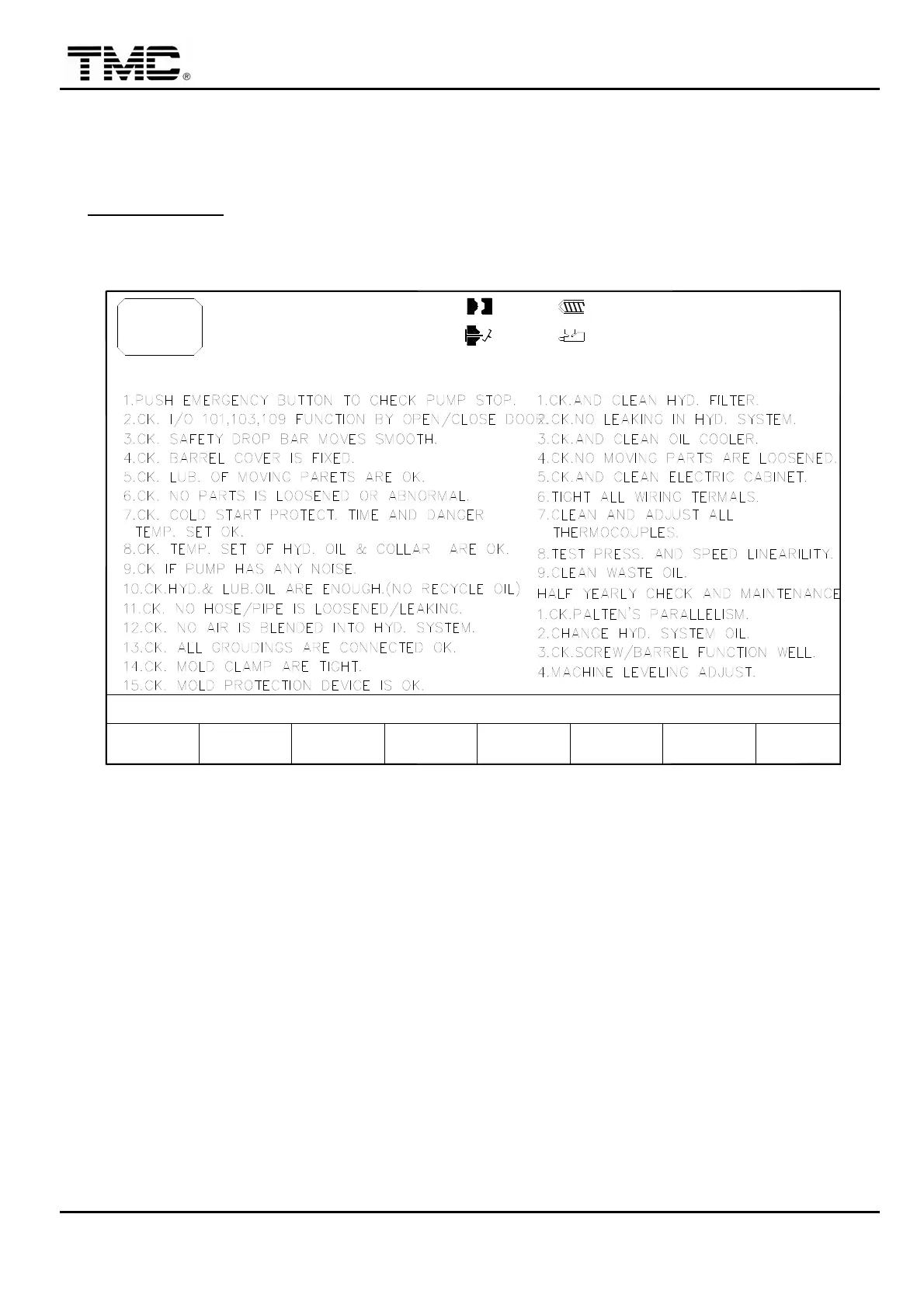
2.25 Maintenance checklist
When TMC screen appears on the screen
,
depressing any key will have maintenance
checklist screen displayed or use direction key to move the cursor on main menu screen to
MAINTENANCE
,
press ENTER to display this screen.
Prior to operation of the machine
,
user must check every item thus ensuring safety of
personnel and machine operation.
V1: 0/ 0 0/ 0V2:
0/ 0P1: 0/ 0 P2:100.0mm
100.0mm110.0mm
1.0mm
ACTION STATUS
M:
29D07M07Y
10h250m10s
20°C3W
DAILY CHECK & MAINTENANCE
F2F1 F3 F4 F5 F6 F7 F8
MENU
17
MAINTEN. SUPPORT
I/O
MAINT.
LIST
MONTHLY CHECK & MAINTENANCE
LOG MOLD EXTERN
Screen 4-31


 To Next Page
 Loading...