Pro Spectrum User Manual v2.1 13
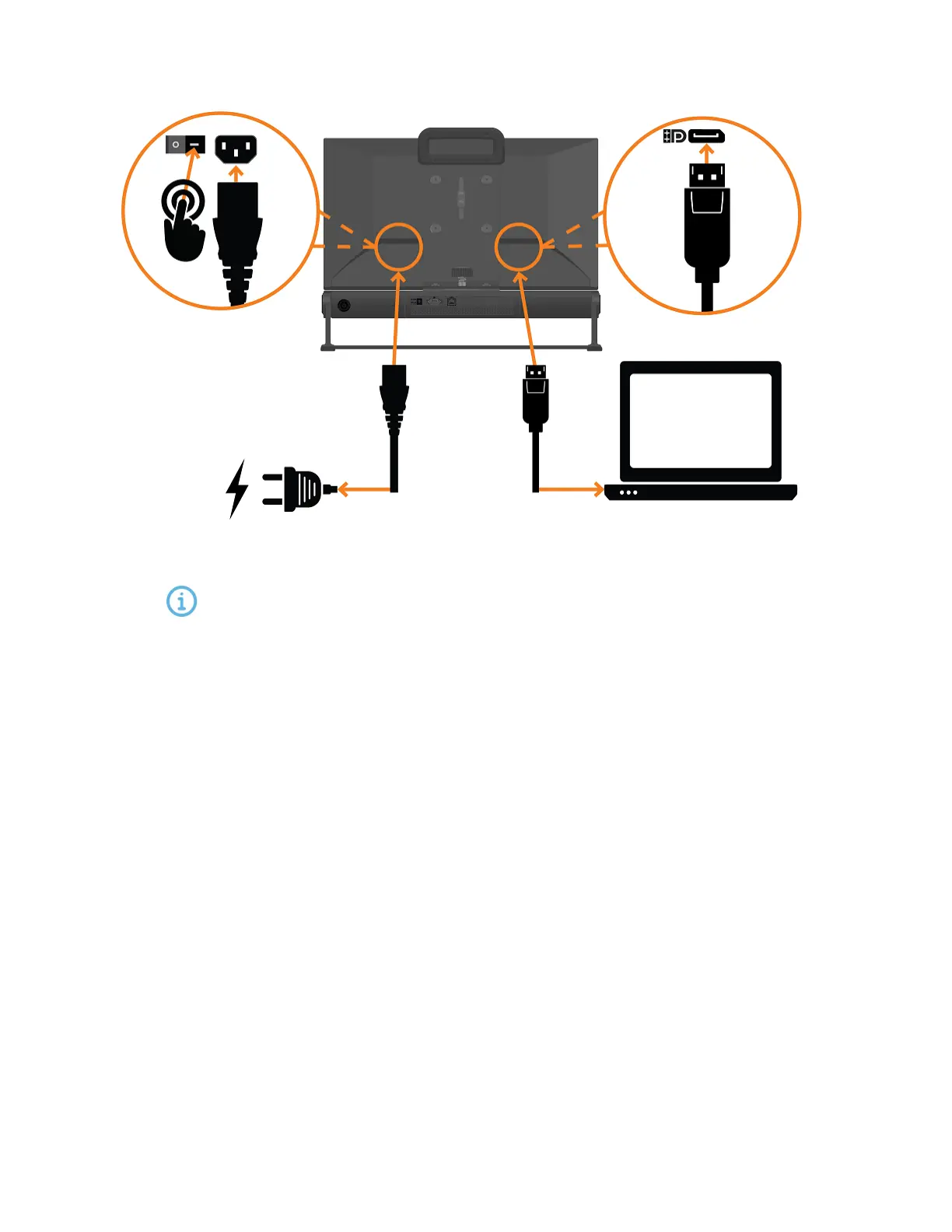
1. Attach the supplied Display Port or HDMI cable to the corresponding connector on your com-
puter.
It is possible to use any of the other display interfaces on the monitor as well.
However, for the best performance we recommend Display Port or HDMI, depend-
ing on what your PC is equipped for.
2. Choose the power cable with the plug suited for the wall outlet and connect the other end to
the corresponding outlet on the monitor.
3. Insert the power cable plug to a power outlet.
4. If neither of the plugs work with your power outlet, please contact your sales representative or
Tobii Pro Support for assistance.


 To Next Page