BeforeInstallation
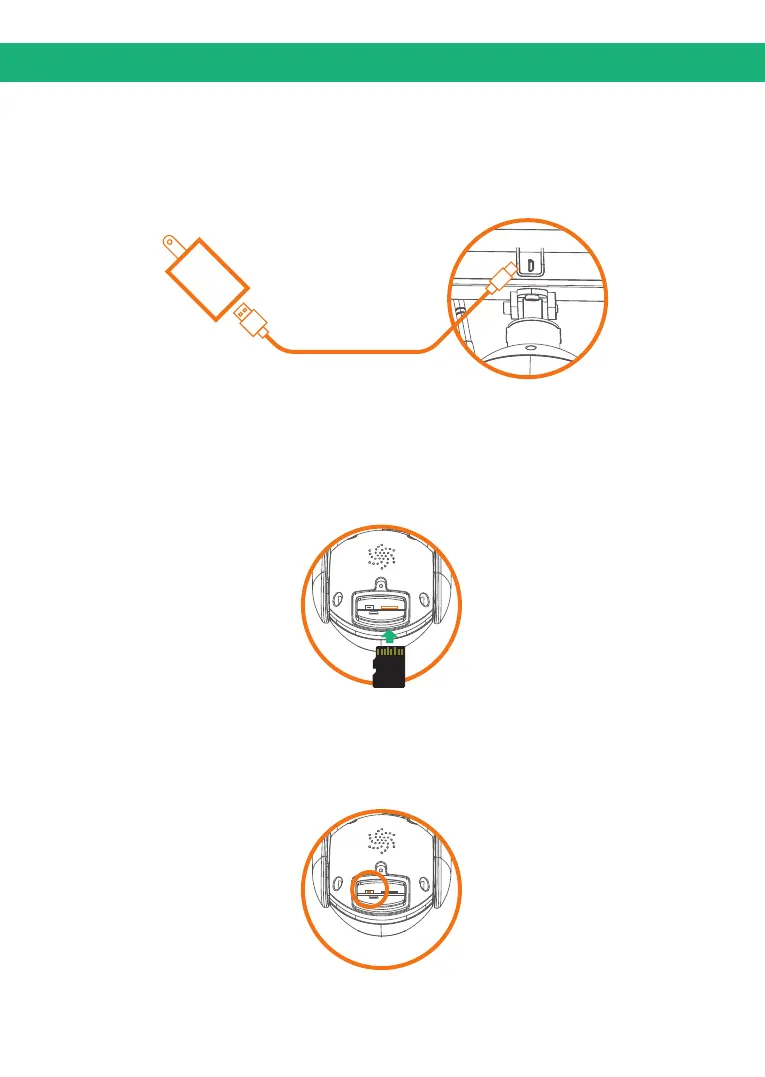
Charging
Connect the camera to the solar panel and then Please charge
the camera about 6-8 hours by pluqqing the solar panel into a
power source using an USB cable. A red led will stay on the solar
panel.
Insert SD card
Please format the SD card to FAT32 format (Application to
Windows system ONLY), then install the micro-SD card when the
camera is off. The camera only supports class 10 SD cards with
at least an 8GB capacity and a maximum capacity of 64GB.
How to reset camera
Press and hold on the reset button for 4-5 seconds to reset the
device.You need to release the button when you hear "system
reset".
3


 To Next Page