AL-2000 Biometer & Pachymeter
15
44..11 BBiioommeettrryy MMooddee SSeettuupp
44..11..33 SSeettttiinngg tthhee mmeeaassuurreemmeenntt ccoonnddiittiioonnss
Before measuring axial length, the following measurement conditions should be set:
• Patient name, patient ID and physician name
• Eye (right/left)
• Eye type
• Gain
• Measurement mode
• Retinal waveform
aa)) PPaattiieenntt nnaammee,, ppaattiieenntt IIDD nnuummbbeerr aanndd pphhyyssiicciiaann nnaammee
bb)) SSeettttiinngg tthhee eeyyee ttoo bbee mmeeaassuurreedd
SSttoorreedd ddaattaa aarree ccoonnttrroolllleedd bbyy IIDD nnuummbbeerrss.. IIff yyoouu ppllaann ttoo
ssttoorree ddaattaa oonn tthhee mmeemmoorryy ccaarrdd,, yyoouu mmuusstt eenntteerr aa ppaattiieenntt IIDD
nnuummbbeerr..
Up to 10 letters can be entered for each
item.
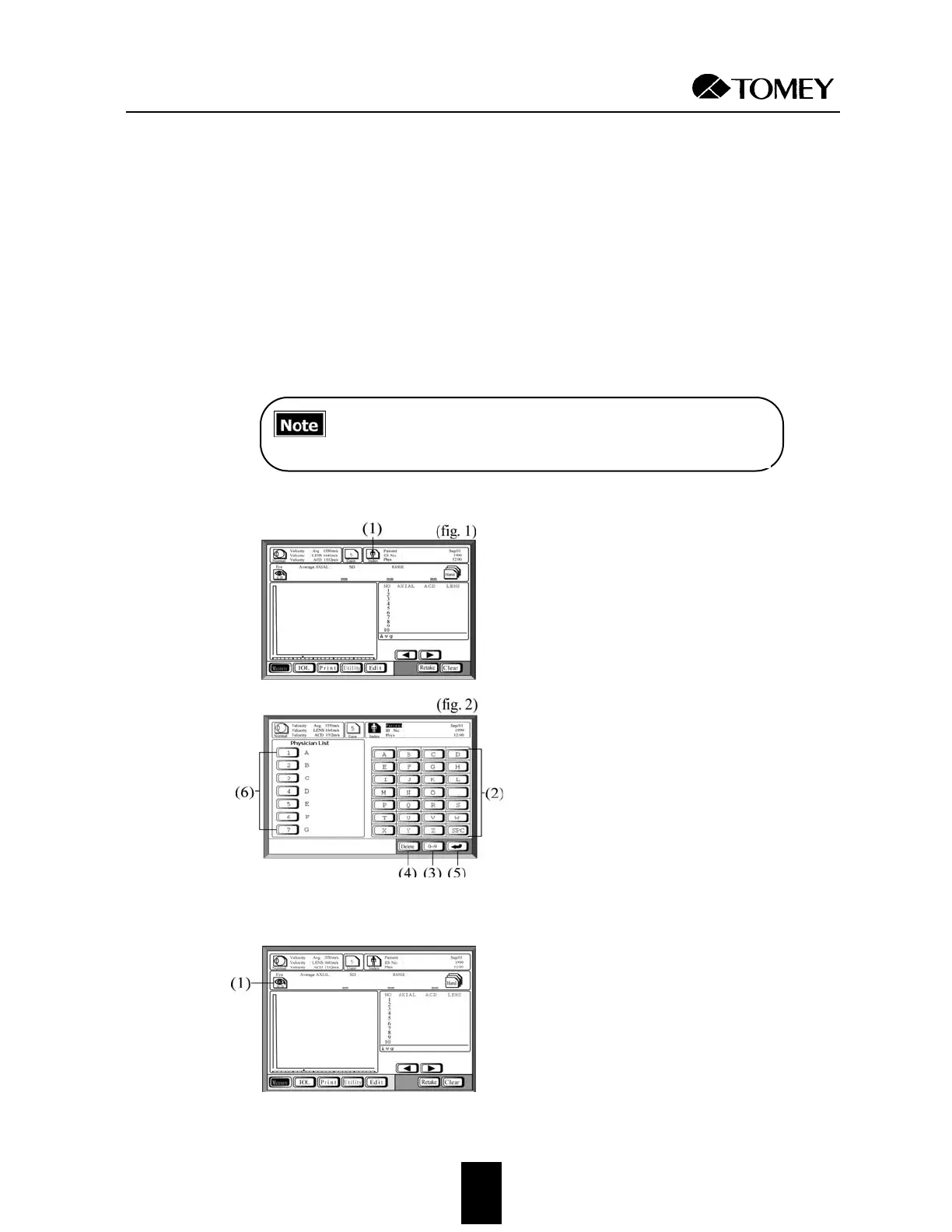
1. Touch the
IInnddeexx
key (1) on the measure-
ment window (fig. 1) to display the
Name/ID entry window (fig. 2).
2. Touch the number keys and the alphabet-
ic character keys (2) to enter the patient’s
name, ID number and physician’s name.
If the physician’s name is already regis-
tered in the Physician List, it can be
selected by pressing the corresponding
number (6).
To switch between letters and numbers,
use the switch-over key (3). In the event
of an erroneous entry, touch the
DDeelleettee
key (4).
3. To set the entered value and advance to
the next entry, touch the
RReettuurrnn
key (5).
The cursor location indicates the catego-
ry of the next entry.
4. Touch the
IInnddeexx
key (1) again to return to
the measurement window (fig. 1).
Touch the
EEyyee
key (1) to select the eye you
wish to measure (right or left).
The right eye (OD) or the left eye (OS) is
selected alternately each time the
EEyyee
key
is touched.


 To Next Page
 Loading...







