14
FR | Présentation de votre TomTom GO Essential
NL | Je TomTom GO Essential leren kennen
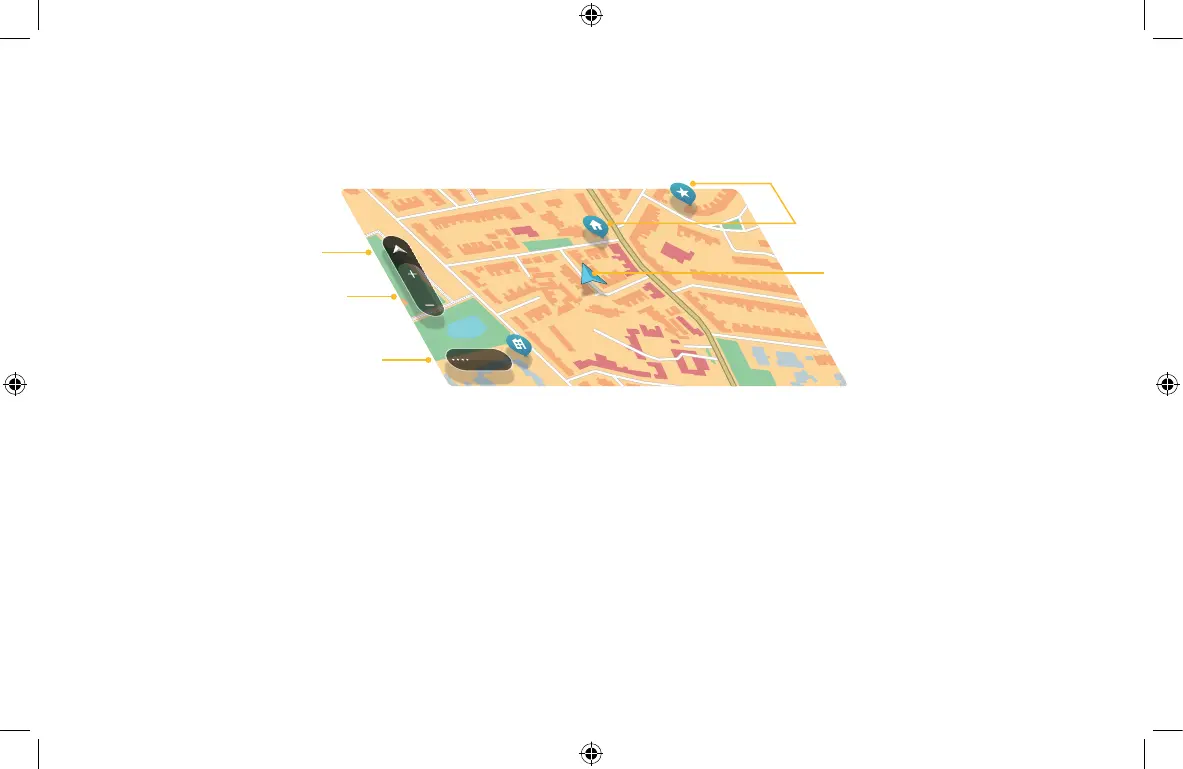
1 | Bouton du menu principal.
2 | Boutons de zoom.
3 | Bouton d’affichage.
4 | Position actuelle.
5 | Icônes de carte. Touchez pour planifier un parcours sans attendre.
1 | Hoofdmenuknop.
2 | Zoomknoppen.
3 | Weergaveknop.
4 | Huidige locatie.
5 | Kaartsymbolen. Tik om snel een route te plannen.
FR | NL |
Pour sélectionner un emplacement sur la carte, touchez-le et maintenez la
pression jusqu’à ce que le menu contextuel s’ouvre.
Als je een locatie op de kaart wilt selecteren, tik je op de locatie en houd je
deze ingedrukt tot het pop-upmenu opent.
Menu
3
2
1
5
4
6PN0.002.10.3 GO ESSENTIAL Booklet UKDE_FRNL_ITESPT-195x122mm.indd 146PN0.002.10.3 GO ESSENTIAL Booklet UKDE_FRNL_ITESPT-195x122mm.indd 14 29-10-2024 15:0929-10-2024 15:09



 To Next Page