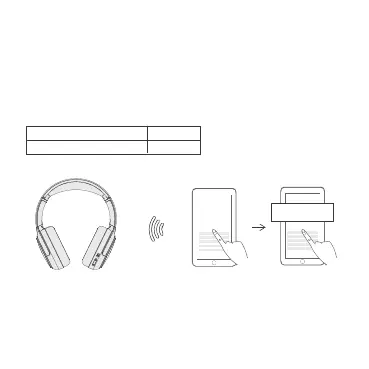
1. When powered o, press and hold the power button for 5 seconds until the LED
flashes green and red to enter the Bluetooth pairing mode.
2. Select “TONEMAC H2” on your device’s Bluetooth list to connect.
3. Each time you power on your headphone, it will automatically connect to your
last successfully connected device if available within the Bluetooth range.
BLUETOOTH PAIRING
ENG - 6
Flash green and red
Light o
Pairing
Connected
TONEMAC H2BT ON


 To Next Page