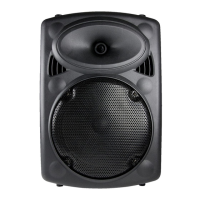
Portable
PA Speaker
OWTNNPAS10
PO Box 5658 Brendale
QLD Australia 4500
Customer Support
1800 812 261
www.crest.com.au
Proudly brought to you by:
Using the Wireless Microphone (included)
i. Insert 2 x ‘AA’ bateries (not included) into the base of the wireless microphone.
ii. Switch on the wireless microphone using the ‘ON/OFF’ switch — this microphone is designed to be
used together with this unit only.
iii. Switch on the speaker unit power.
iv. The wireless microphone will automaically work once speaker unit and microphone have been
turned on, regardless of which ‘MODE’ has been selected.
Listening to FM Radio
i. Press the ‘MODE’ buton on unit control panel or press INPUT on the remote control to select FM mode.
ii. From the unit control panel, long press ‘Play/Pause’ buton to scan for staions (this will
automaically preset the staions in your area)
Using Bluetooth
i. Press the ‘MODE’ buton on the unit control panel or remote control unil the word ‘BLUE’ shows on
the display.
ii. In your Bluetooth seings on your smartphone, tablet or notebook search for “OWTNNPAS10”
device and pair the speaker to your device. You are now able to listen to your audio iles through
your speaker.
iii. Disconnect the Bluetooth device pairing when you have inished listening to your audio iles.
Playing MP3 iles through the speaker using the SD card
or the USB sick
i. Turn of the unit and plug in your USB sick or SD Card into the appropriate port on the back side of
the unit. Please ensure that your media is properly connected and that your iles are MP3 format.
When you turn on the unit, it will automaically select the input device.
ii. Disconnect AUX INPUT while playing SD/USB iles.
REMOTE CONTROL FUNCTIONS
• Press MODE on the unit or INPUT on the remote control to change the modes (FM, Audio,
Bluetooth, USB/SD card, Line)
• To skip a track, press on the unit or remote control.
• To listen to a previous track, press on the unit or remote control.
• To pause a track, press on the unit or remote control. To restart play, press again.
• To repeat songs, press the REPE buton, it will repeat by mode of ALL/ONE/FOLD/RAN.
FOLD means songs in the same folder. RAN means songs in a random order. This only works with
USB/SD card mode.
• To use built-in Equalizer, press the ‘EQ’ buton to scroll through the opions unil you ind your
desired sound seings*. EQ applies to USB/SD Card and Bluetooth play mode.
(i.e. Bass (BAS), Jazz(JAZ), Pop(POP), Classical(CLA), Rock(ROC), Country(CUR), Normal (NOR).
Or you can manually adjust the BASS and TREBLE using the respecive controls on the rear of the unit.
• Set the volume to the desired level, via the unit’s control panel or the remote. On the unit press and
hold for down or for up or simply turn the MUSIC VOL control and on the remote press
VOL’-’ for down or VOL‘+’ for up.
• Press AUTO to automaically scan the FM Staions. Press CH-/CH+ to go to previous or next FM
channel.
• Press number butons to choose the corresponding songs in USB/SD card. Press 10+, it will jump
to 11, 21, 31,...
1678/


 To Previous Page
 Loading...