
 Need help?
Do you have a question about the TOOQ TQDS-805G and is the answer not in the manual?
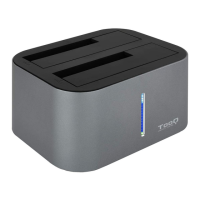
General description of the TooQ Docking Station's connectivity and basic functionality.
Technical specifications and capabilities of the docking station, including interface and capacity.
Lists all items provided in the product packaging.
Defines the necessary hardware and software for the docking station to function.
Illustrations and labels for the front and back panels of the docking station.
Diagram showing the top view, hard disk bays, and capacity limitations.
Step-by-step guide on connecting the docking station to a computer and inserting hard disks.
Explanation of the cloning function, requirements, and warnings.
Detailed instructions for performing the disk cloning operation.
Notes on temperature, duration, noise, and troubleshooting during cloning.
Instructions for partitioning and formatting new or unrecognised disks.
Details on the product's 24-month guarantee and claim process.
Information on frequently asked questions and how to get further assistance.
 General
| Model | TQDS-805G |
|---|---|
| Category | Docking Station |
| Product colour | Black |
| Compatibility | 2.5" and 3.5" SATA HDD/SSD |
| Number of storage drives supported | 2 |
| Supported storage drive interfaces | SATA |
| Card reader integrated | Yes |
| Input voltage | 100 - 240 V |
| Output voltage | 12 V |
| Output current | 3 A |
| Material | Plastic |
| Ports | USB 3.0, eSATA |
| Power Supply | External AC Adapter |
| Supported storage drive sizes | 2.5, 3.5 " |
| Compatible memory cards | SD, microSD |

 To Next Page