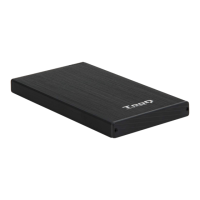
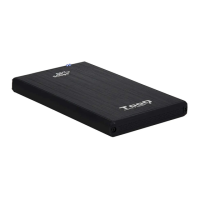
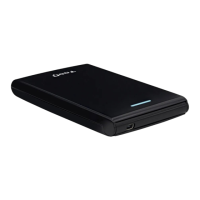
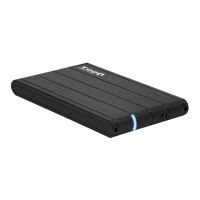
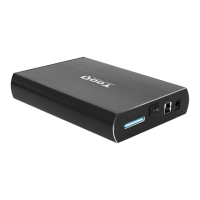
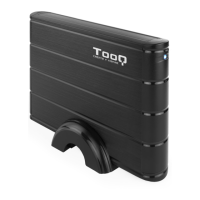
The TooQ TQE-2527P Rosa Velvet is a 2.5" storage enclosure designed to connect SATA HDDs or SSDs to a computer via a USB 3.0/3.1 Gen 1 port. This device is plug-and-play, offering a straightforward solution for external storage.
Function Description:
The primary function of the TQE-2527P is to house a 2.5" SATA hard disk drive (HDD) or solid-state drive (SSD), transforming it into a portable external storage device. This allows users to easily transfer data, back up files, or expand storage capacity for various devices, including Windows, macOS, and Linux systems. The enclosure supports USB 3.0 and 3.1 Gen 1, ensuring fast data transfer speeds when connected to compatible USB ports.
Important Technical Specifications:
- Model: TQE-2527P Rosa Velvet
- Compatibility: 2.5" SATA HDDs and SSDs
- Interface: USB 3.0 / 3.1 Gen 1
- Operating Systems: Windows, macOS, Linux
- Color: Rosa Velvet (Pink)
- Included Accessories:
- 1 x Storage enclosure
- 1 x Connection cable (USB-A to Micro USB)
- 2 x Screws
- 1 x Mini screwdriver
- 1 x User manual
- LED Indicator: Present, to show device status.
- Micro USB Port: For connecting the enclosure to the host device.
Usage Features:
- Plug & Play: The enclosure is designed for immediate use without requiring complex driver installations.
- Broad Compatibility: Works seamlessly with Windows, macOS, and Linux operating systems.
- High-Speed Data Transfer: Utilizes USB 3.0/3.1 Gen 1 for efficient and fast data transfer, adapting the speed to the version of the USB port on the connected device.
- Easy Installation: The manual provides clear, step-by-step instructions for installing a 2.5" SATA disk into the enclosure.
- Step 1: Open the Enclosure: Loosen the two screws to open the storage enclosure. Carefully remove the PCB board.
- Step 2: Connect the Disk: Connect the 2.5" SATA disk to the PCB board.
- Step 3: Insert into Enclosure: Carefully place the PCB board with the disk installed back inside the enclosure.
- Step 4: Secure the Cover: Place the two screws back to fix the cover, ensuring the disk is securely housed.
- Step 5: Connect to Device: Connect the USB-A end of the provided cable to your computer or device and the Micro USB end to the storage enclosure.
- Disk Partitioning and Formatting: For new hard drives, the system will not recognize them until partitions are created and formatted. The manual provides guidance on how to perform this operation on different operating systems:
- Windows: Equipment (Right click) → Manage → Storage → Disk administrator.
- Mac: Finder → Go → Utilities → Disk Utility.
- Linux: System → System Administration → Disk Utility.
Maintenance Features:
- Careful Handling of PCB Board: The PCB board of the enclosure is highly sensitive to electrostatic discharges. Users are advised to release static electricity before handling or mounting the storage enclosure to prevent damage.
- Troubleshooting Hard Disk Failure: In case of hard disk failure, the manual suggests two checks:
- Verify that the disk partition and file format partition have been performed.
- Check if the hard disk is in optimum condition. If not, contact the manufacturer or distributor for assistance.
- Warranty Information: Users are directed to the product warranty for further details and support. It is important to note that touching the chipset on the PCB board may void the guarantee.
The TooQ TQE-2527P Rosa Velvet is a stylish and functional external enclosure, designed for users seeking a reliable and easy-to-use solution for their 2.5" SATA storage needs, backed by clear instructions for setup and basic troubleshooting.

 Need help?

 To Next Page
 General