9
EAR & FOREHEAD THERMOMETER TH-4645/55
ENGLISH
7.3 HOW TO MEASURE OBJECT TEMPERATURE
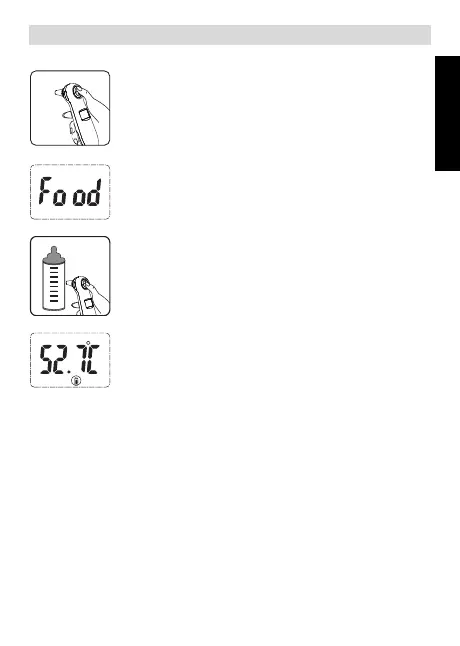
1. Remove forehead cap before use. Place the
thermometer in your hand as shown with your
fingers on the [EAR] and [FOREHEAD] button.
Press the [EAR] and [FOREHEAD] button then
the thermometer enter to object temperature
measuring mode, the LCD display like left figure.
Make sure don't use this mode to measure
body temperature.
2. Hold the thermometer so that the probe position
at a distance within 1cm from the liquid and /or
surface whose temperature you want to
measure.
Press the [EAR] button to start the measurement.
Remove the thermometer from the object. The
LCD displays the measured temperature.
You can press the [FOREHEAD] AND [EAR]
button again at the same time or press
[MEN] button return to waiting mode. The
thermometer will automatically return to waiting
mode after 1minute if you forgot to do so.
7.4 TEMPERATURE TAKING HINTS
1. A temperature measurement taken in the right ear may differ from a
measurement taken in the left ear. Therefore, always take the temperature in
the same ear.
2. External factors may influence ear and forehead temperatures, particularly
when an individual has:
• been lying on one ear or the other
• had their ears covered
• been exposed to very hot or very cold temperatures
• been recently swimming or bathing.
HL_Ear & Forehead Thermometer 301 D106.book Page 9 Thursday, January 17, 2013 10:49 AM



 To Next Page