(1)
Press the icon and then Next to enter the second page of the menu.
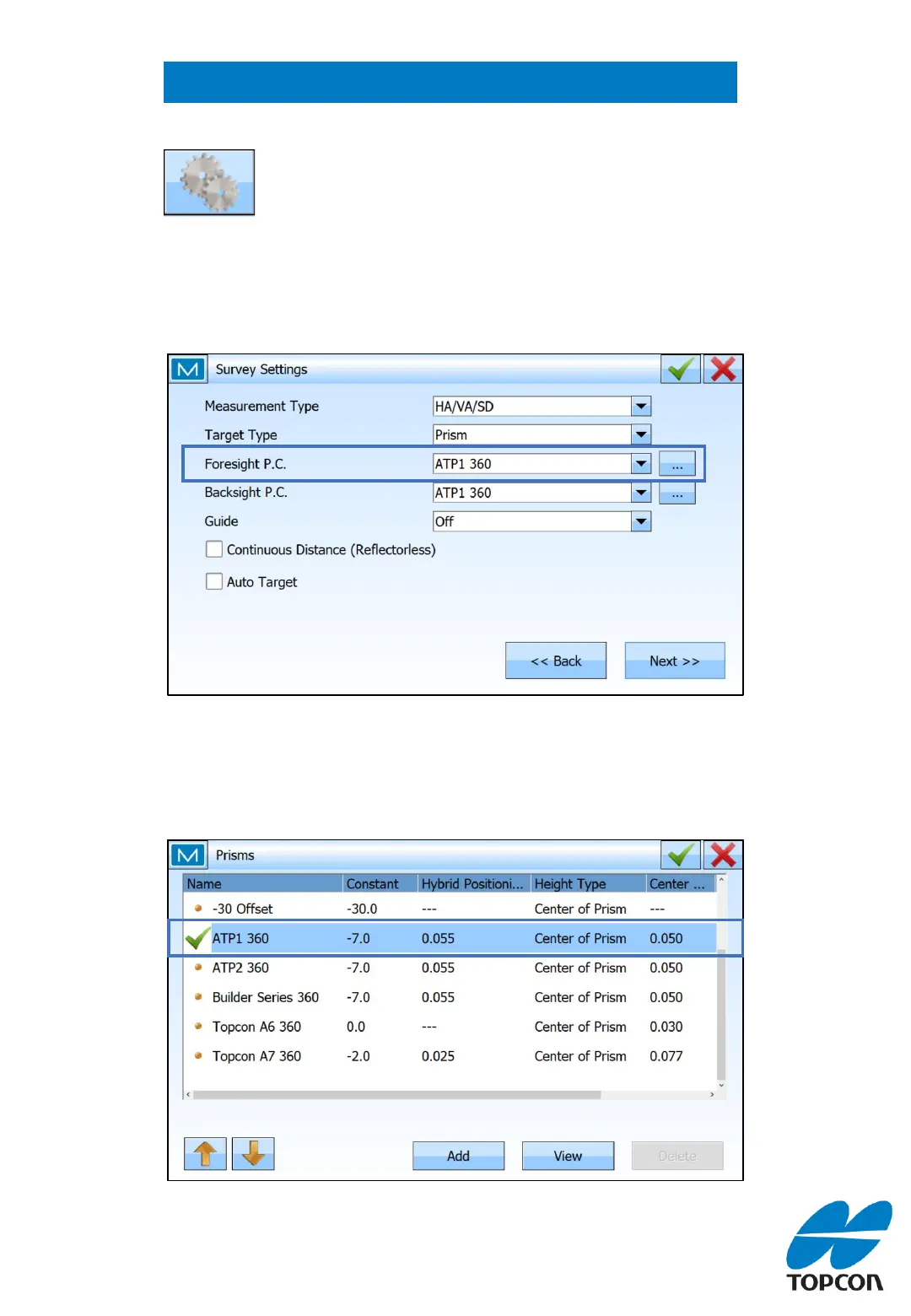
Setting the correct Prism Constant for ATP1 360
Prism settings can be changed by pressing the ‘gears’
icon at the top-right when in the backsight, resection,
survey or stake screens .
(2)
Under ‘Survey Settings’ select ATP1 360 from the ‘Foresight P.C’ dropdown list.
Press the ellipsis button to ensure the Constant is correct as below.
2



 To Next Page