EN | 11
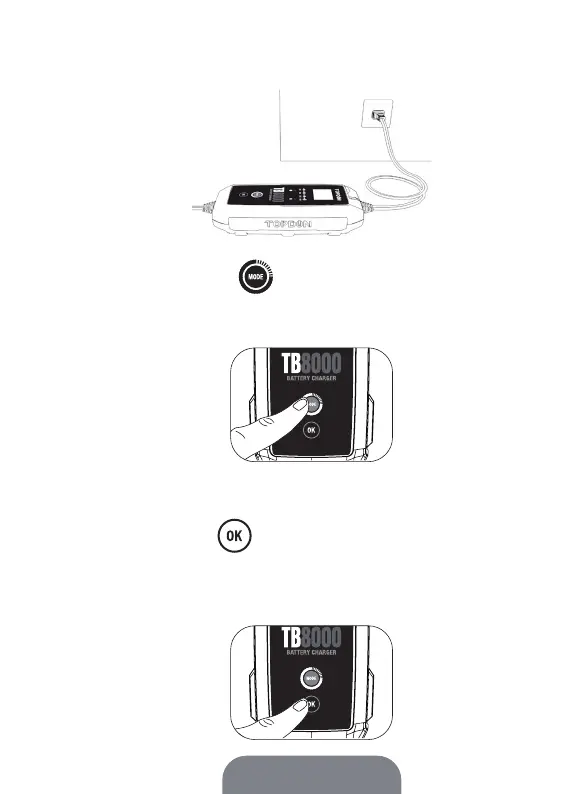
2. Connect the power plug of the charger to an outlet. The
charger will automatically turn on and begin in mode setup.
3. Press the MODE button to toggle between Battery
Test Mode and Charging Mode. The corresponding icon or
tip on the display will light up when you select one mode.
4. Press the OK button to conrm the mode. The
battery level indicator that displays 100% power will light up
and all four battery level indicators will be solid white when
the battery gets fully charged.
Tip:
We recommend checking the battery voltage through Battery Test Mode rst,
then toggle to the charging mode for charging.


 To Next Page