18
Automatic
Manually enter Vehicle Identication Number (VIN) or tap Read to
acquire VIN, then tap Conrm. TopScan will automatically decode
the VIN to identify the vehicle.
Manual
Manually select the vehicle information to identify the vehicle.
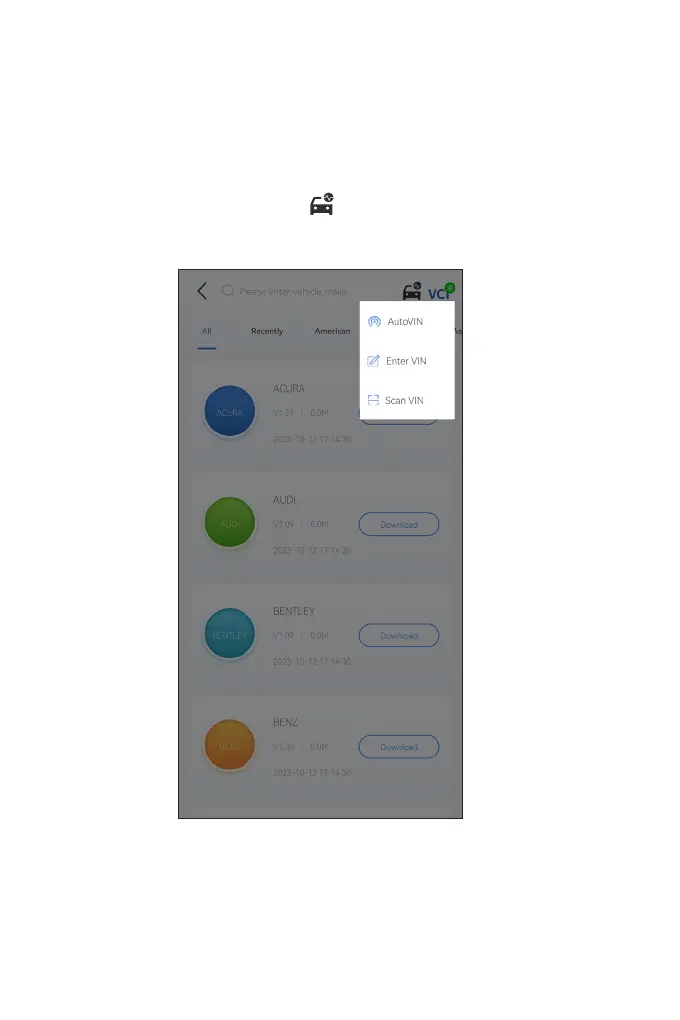
Alternatively, you can tap the icon at the top right of the
screen and select AutoVIN, Enter VIN or Scan VIN to identify the
vehicle.
Figure 4-4


 To Next Page