35
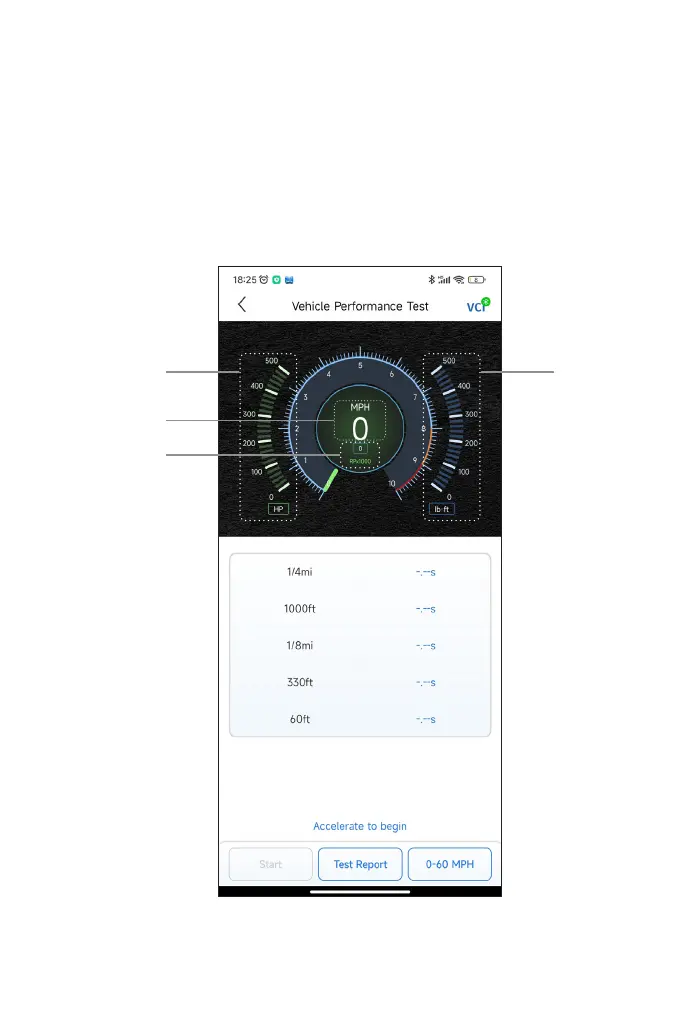
3. The default values for the start and end speeds are 0 MPH and
60 MPH respectively. If you want to change the values, tap the 0-60
MPH button, and tap Edit to set the start and end speeds.
4. Accelerate your vehicle to start the test.
Note:
If you do not reach the end-of-measurement speed, the results will
be automatically reset as soon as the speed of the car is equal to
the start speed.
Figure 4-18
3 4
1
2


 To Next Page