SECTION 2
HOW TO CHARGE A BATTERY?
READ ALL INSTRUCTIONS BEFORE USING
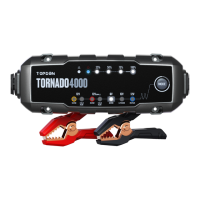
The TORNADO4000 provides 5 charging modes: 12V4A
NORM, 12V4A LI, 12V1A REP (repair), 6V4A NORM, and 12V
SUPPLY. Among them, 12V4A NORM, 12V4A LI, and 6V4A
NORM adopt 9-step smart charging. Refer to the table
below to help you to select the most appropriate mode for
your battery.
Refer to gure 2.1.1 below to better understand the 9-step
smart charging.
Charging
Mode
Max.
Voltage (V)
Denition
Charge 12V Wet, Gel, MF, Cal, EFB and
AGM batteries through 9-step smart
charging.
14.2
12V4A
NORM
Repair old or sulfated batteries
through small current and pulse
current.
14.2
12V1A
REP
Charge 12V li-ion batteries, including
lithium iron phosphate (LiFePO4).
14.6
12V4A
LI
Charge 6V Wet, Gel, MF, Cal, EFB and
AGM batteries through 9-step smart
charging.
7.1
6V4A
NORM
Provide an output supply of a 13.5V
constant voltage and a maximum
amperes of 4A (54W) to 12V devices.
When the bad battery error indicator
lights up, try using this mode to charge
your battery.
13.5
12V
SUPPLY
EN 09


 To Next Page