9
Smart Battery Clamps (Wireless Battery Tester)
1 2
3
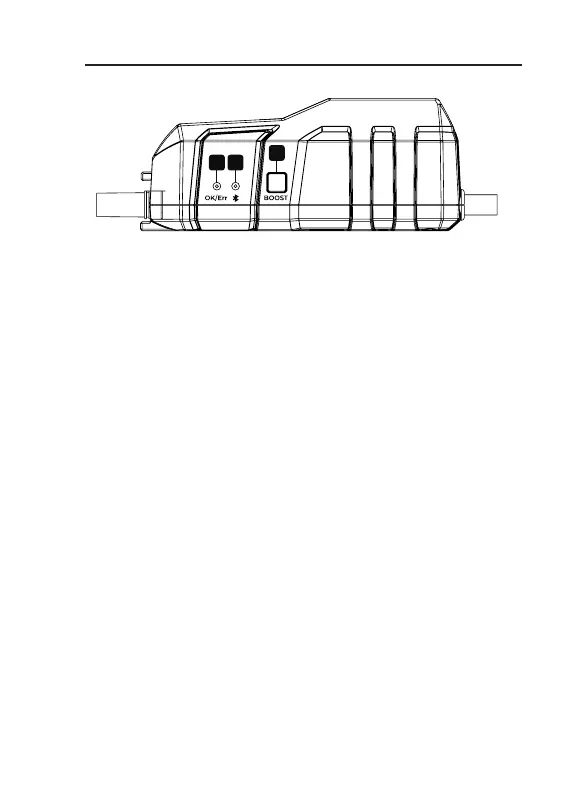
OK/Err Indicator
OK
:
Solid green
The jumper starter is ready for use.
Err
:
Solid / ashing red
Illuminates or ashes red if reverse polarity, short circuit
or over temperature is detected.
Bluetooth Connection Indicator
Solid blue
Bluetooth connected
Flashing blue
Bluetooth not connected
BOOST Button
Short press to enable BOOST mode (forced output
mode). The status indicator will light up green. Start
your vehicle within 30 seconds. The BOOST mode will
be automatically turned off if no operation is performed
within 30 seconds or after the vehicle is successfully
cranked, and the green LED light will be off.
Note: Under BOOST mode, all safety protections are
disabled temporarily. Therefore, only use this mode
when the vehicle battery voltage is extremely low.
1.
2.
3.


 To Next Page