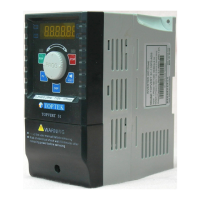
TOPVERT L1 Series
E-
30
PU communication error
(Pu) {23}
Check whether the keypad communication
well-conducted
Auto tuning failure
(tunE) {24}
Check cabling between drive and motor.
Check whether the motors horsepower
corresponds to the drive output power.
Retry again
Braking chopper fault
(bF) {25}
Switch off power supply wait until display off then
on again, If fault code is still displayed please
return to the factory.
Phase-Loss protect or
capacitor aged
(PHL) {27}
Three phase imbalanced at
the input voltage or the drive
detects excessive ripple
voltage on DC-Bus
Check whether the power voltage is normal
Check whether the screw at the input power
terminal is tightened
Check whether the power source phase-lacking
Caused of smoothing capacitor:
Check whether the smoothing capacitors life is
ended.
Current signal error during
stop
(CC) {28}
Reset the drive, if okay, then might be interference
noise come into the drive.
Return to the factory if previous method is not
effect.
CPU error
(CPu) {29}
Electronics Circuit Fault
Switch off power supply wait until display off then
on again, If fault code is still displayed please
return to the factory.
Fan fault
(FAn) {30}
Check whether the cooling fan is blocked
Replace the fan
Analog input error
(AnI.) {31}
Check if the analog input signal is out of range
Over-Torque2 detected
(ot2) {32}
Check whether the motor 2 is overloaded
Check whether motor 2 rated current setting
(Pr5-40) is suitable
Check whether the Over-Torque2
are suitable (Pr5-21~Pr5-23)
Check whether the mechanical system is normal
Increase motor 2 capacity and replace
with the next higher power model
Motor overload
-Thermal relay 2
(oL2) {33}
(Electronic thermal relay 2
protection.)
Check whether the motor 2 V/F setting proper
Check whether the motor 2 r
long period
Check for possible motor 2 overload
Check motor 1 full load current (Pr5-40)
Check electronic thermal overload 1 setting
(Pr5-45 to Pr5-46)
Reduce the load so that the drive output current
does not exceed the value set on Pr5-40
Increase motor capacity
Motor select error
(rnot) {34}
Check the motor wiring connection
Check the parameters settings



 To Next Page
 Loading...