1800 Series User Manual
19
OPERATING THE UPS
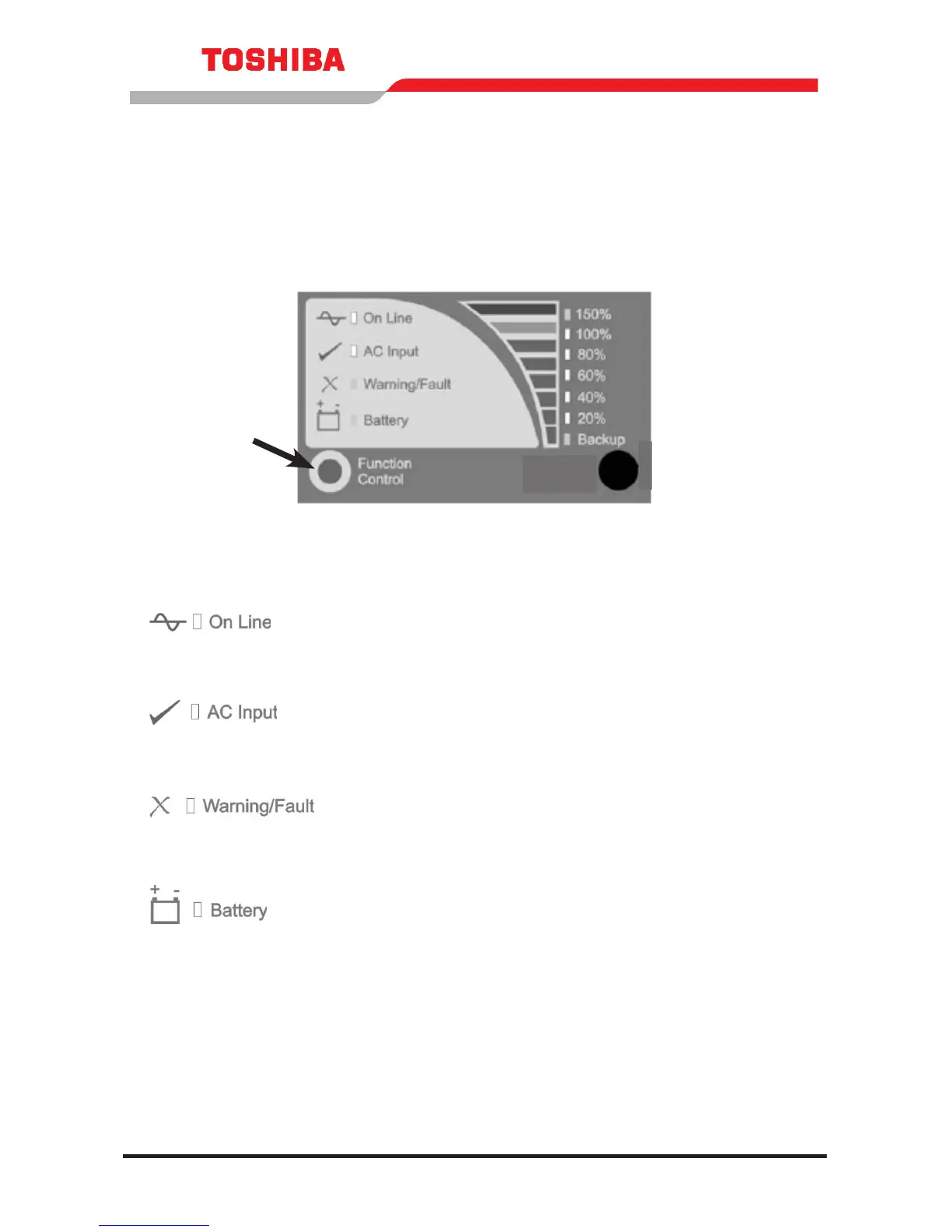
DISPLAY PANEL LAYOUT
ON LINE (green lamp)
Lights green when the UPS’s inverter is supplying
power to the load.
AC INPUT (green lamp)
Lights green when normal AC input power is being
supplied to the UPS unit.
WARNING/FAULT (red lamp)
Lights red when the UPS is experiencing an
abnormal condition.
BATTERY (red lamp)
Lights red to indicate that an abnormal condition
exists that is affecting the batteries.



 To Next Page
 Loading...