Table 10. Native Mode Support - Ethernet Printer (continued)
Operating System
JavaPOS Drivers
1.13.5 or later
OPOS Drivers
1.13.5 or later
Windows Native
Drivers (NWD)
3.1.0 or later Comments
SUSE Linux Enterprise Desktop
(SLED) 11 Service Pack 3
Yes
SUSE Linux Enterprise Server
(SLES) 11 Service Pack 3
Yes
SUSE Linux Enterprise Point of
Service (SLEPOS) 11 Service
Pack 3
Yes
PC DOS 2000 Not supported
Hardware requirements
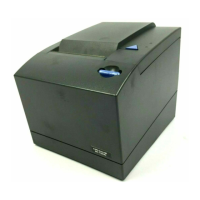
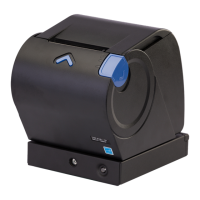
SureMark printers work with the following systems:
v 4694 systems
v 4695 systems (RS-232 connection only and with power supply)
v PC or other store controller with an RS-232, USB, or Ethernet port
v SurePOS
™
100 Series systems
v SurePOS 300 Series systems
v SurePOS 500 Series systems
v SurePOS 700 Series systems
v Self Checkout solution
v AnyPlace
™
Kiosk
v TCx
™
Wave
Calling for service
Before calling for service, you will need the machine type, model number, and serial
number of the printer This information can be found on the two printer information
labels. See “Printer information label” for the location of the two printer information
labels.
Printer information label
The printer information labels are located beside the power button on the inside of
the printer and on the front right edge of the main cover (see Figure 10 on page
27).
26 SureMark Hardware Service
|
|
|
|
|
|
|
|
||
|
|
||||
|
|
||||
|
|
|
||||
|||||
|
|
|
|
|
|
|
|



 To Next Page
 Loading...