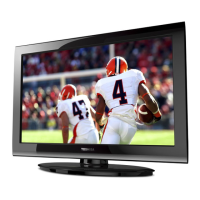
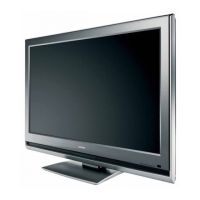
TV
front
and
side
panel
controls
and
connections
Models 32C
II
OU,
40E21
OU.
46G31
OU.
and 55G31
OU
are used in this Easy
Setup
Guide
for illustration purposes.
r-::::1
a-~-o
I
I
~o
I
D.
!.
CHANNELJJ-7
~o
l
4
•Q
I
VOLUME]]-;
8
•0
l
I I
MENU
II
5-·0
!
:
INPUT
I
6
__
1
CJ-I_g
~~:_j
left
side
panel
TV
front
10
_I
I"'D'l
, r
11
•
I~
I~
,
11-m
46G310U/55G310U
I
MJ32C110:40E210U
2
I
Control
panel
1
~
Control
panel
L__
1
Green
lED
Power LED
(Green)=
Power indicator
6
EXIT-
Press to instantly close an on-screen menu.
7
CHANNEl
.AT
-
When
no
menu
is on-screen, these buttons
change
the channel. 2
Remote
sensor-
Point the remote control toward this remote
sensor.
3
POWER
- Press to turn the
TV
on and
off
8
VOLUME
olllllll~-
When no
menu
is
on-screen, these buttons adjust
the
volume
level.
If
the
TV
stops responding to the controls on the remote control
or
TV
control panel and you cannot turn
off
the TV, please unplug the
power cord few seconds then rc-plug to try again.
4
ARROWS
.AT
olllllll~-
When a
menu
is
on-screen, these buttons
function as up/down/left/right menu navigation buttons.
5
MENU
(ENTER)- Press to access the
menu
system. When a menu
is
on-screen, the
MENU
button on the
TV's
control panel can function
as the
ENTER
button.
TV
back
panel
connections
For an explanation
of
cable types and connections.
TV
back
9
INPUT-
Repeatedly press to
change
the video source you are
viewing.
10
HDMI®
IN
(for
46G310U/55G310U)- High-Definition Multimedia
Interface input receives digital audio and uncompressed digital
video from an HDMI device
or
uncompressed digital video from
a DVI device. HDMI connection
is
necessary to receive 1
080p
signals.
11
USB
port-
To access
JPEG
or MP3 files.
1
--t-··
IN
PCIN
HDMIIN
::i~~~,....,....--[',
.L__Dll_:_LJm__..:_~__J.'J
UMONO
1~3;
~":!/,'
r@>@
@IN
-----l----
3
AU~·~'©
(g)
®>
2
-------1--
4
7 6 5
1
PC
IN-
For use when connecting a personal computer.
2
HDMI®
IN-
High-Definition Multimedia Interface input receives
digital audio and uncompressed digital video from an HOM!
device
or
uncompressed digital video from a DVI device. HDMI
connection
is
necessary to receive 1
080p
signals.
6
VIDEO
IN-
Standard (composite) video and standard audio inputs
plus for connecting devices with composite video.
3
PC/HDMI1
(AUDIO)
IN-
PC audio input terminals are shared
with HDMI-1 analog audio input terminals, and their use can be
configured
in
the
Audio
Setup
menu.
4 ANT/CABLE- Input that supports analog
(NTSC)
and digital
(ATSC) off-air antenna signals and analog and digital
Cable
TV
(QAM)
signals.
5
Digital
Audio
OUT-
Optical audio output
in
Dolby Digital
or
PCM (pulse-code modulation) format for connecting an external
Dolby Digital decoder, amplifier,
A/V
receiver, or
home
theater
system with optical audio input.
Note: Standard (composite) video cable carry only video
information,· separate audio cables are required for a
complete connection.
7
ColorStream®
HD-
ColorStream® high-definition
component
video input (with standard stereo audio inputs) for connecting
devices with
component
video output, such as a Toshiba
DVD
player with
ColorStreamc~.
Note: Component video cables
carry
only video information,·
separate audio cables are required for a complete
connection.
4



 To Next Page
 Loading...