8
HL57 (E/F) Web 213:276
Chapter 1: Introduction
TV front and side panel controls and connections
1
2
6
5
4
8
7
3
9
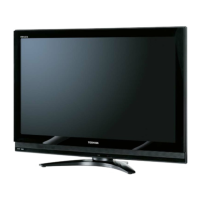
TV front
POWER
TV top
Control panel
Right side panel
1 Green LED — Green light indicates power is on.
2 Remote sensor — Point the remote control toward the
remote sensor. See “Remote control effective range”
(- page 17).
3 VIDEO-2 IN — The side panel A/V connections are
referred to as “VIDEO 2” and include standard A/V
inputs plus an optional S-video input.
Note: Standard (composite) video and S-video cables
carry only video information; separate audio cables are
required for a complete connection.
4 POWER — Press to turn the TV on and off.
5 ARROWS BbC c — When a menu is on-screen, these
buttons function as up/down/left/right menu navigation
buttons.
6 CHANNEL Bb — When no menu is on-screen, these
buttons change the channel (programmed channels only;
- page 26).
7 VOLUME C c — When no menu is on-screen, these
buttons adjust the volume level.
8 MENU — Press to access the menu system
(- page 24).
9 INPUT (ENTER) — Repeatedly press to change the
source you are viewing (Video1/ColorStream HD1,
Video2, ColorStream HD2, HDMI1, HDMI2, PC, or
antenna/cable channel).
When a menu is on-screen, the INPUT button on the TV’s
control panel functions as the ENTER button.
26323742HL57_EN.book Page 8 Wednesday, March 14, 2007 4:28 PM



 To Next Page
 Loading...