11
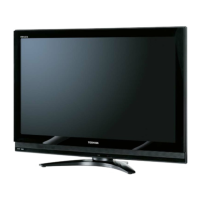
Using the control panel on the front of the TV:
Using the control buttons on the side of the TV:
• To alter the volume, press + or -. If the volume does not
change, press once and press + or - again.
• To alter the programme position, press + or -. If the
programme does not change, press once and press +
or - again.
• To select an external input, press and hold the
button until the “Input Source” list is displayed. To select an
external input, press repeatedly until the appropriate
input source is selected.
Using the terminals on the side panel:
1. HDMI 1 and HDMI 2: High-Denition Multimedia Interface
input receives digital audio and uncompressed digital video
from an HDMI device or uncompressed digital video from a
DVI device.
(Refer to page 22 Connecting an HDMI or a DVI device)
2. USB port: For use when inserting a USB device.
3. Digital audio output terminal: For use when connecting an
amplier with coaxial type digital audio input.
4. Headphone jack: For use with headphones.
Notes:
•Pleasealwaysrefertotheowner’smanualoftheequipmentto
be connected for full details.
•Insertingtheheadphoneplugwillmutethesoundfromall
speakers.
IR Window
Point your remote control at this
area when selecting programme
position or adjusting the volume
level, etc.
Timer LED Window
Green LED:
“On Timer”/“Off Timer” /
“EPG Timer” On
Power LED Window
Red LED: Standby
Green LED: Power On
/



 To Next Page
 Loading...