(5/18)
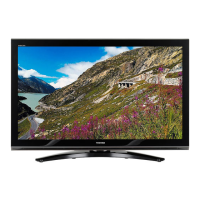
default welcome image (TOSHIBA) is
available. Refer to 4.1 for details of
Welcome image.
Welcome image becomes default by
“Reset Hotel Menu”
(*But Welcome image don’t becomes
default by USB Live Update, Network
Upgrade and OAD.)
Off Not display a welcome image every
time the TV is switched on and only
when TV power on first at AC power
is applied.
Also not display a welcome image in
no signal.
Signal Lost Message
(*Only available when
“Welcome Screen” is
[On].)
On If there is no signal the same
welcome image is displayed during
about 5 seconds to the center
(without expanding), when “Welcome
Screen” is set to “On”.
On the bottom side of image there is a
message (OSD message) displaying
“No Signal”.
On
(* When
“Welcome
Screen" is
set to “Off”,
Signal Lost
Message is
forced
“On”.)
- Grayed out when "Hotel
Mode" = [Off]
- Grayed out when
"Welcome Screen " =
[Off]
Off If there is no signal the same
welcome image is displayed during
about 5 seconds to the center
(without expanding), when “Welcome
Screen” is set to “On”. And not
display a message “No Signal”.
Time Information
Channel
0-9999 Without time information when "On
Timer" of the Main menu is set, time
information is acquired from the
specified channel.
* When time information is acquired,
"On Timer" can be set.
(Timeout of acquisition is 30
seconds.) (Fig.3)
0 - Grayed out when "Hotel
Mode" = [Off]
Change POS/VIDEO On TV tunes to preset “POS/VIDEO”
(channel or input) when TV is
powered on.
Off - Grayed out when "Hotel
Mode" = [Off]



 To Next Page
 Loading...