This document is a Quick Start Guide for the Toshiba 43QA5D63DB QLED TV. It provides instructions for initial setup, connections, and an overview of the TV's features and safety information.
Function Description
The Toshiba 43QA5D63DB is a QLED TV designed for home and office use, capable of accessing the internet via wired or wireless connections. It supports digital TV broadcasting (DVB-T2, DVB-S2 compliant) and offers a range of multimedia features. The TV is equipped with HDMI, USB, and antenna inputs, allowing connection to various external devices. It integrates smart TV functionalities, including access to applications, Google Cast, and voice search. The TV supports High Dynamic Range (HDR) and Hybrid Log-Gamma (HLG) for enhanced picture quality, as well as Dolby Vision™ for a dramatic visual experience with exceptional contrast and vivid color. Audio is enhanced with DTS Virtual:X, DTS X, and Dolby Atmos technologies. The TV can be controlled via a remote control with dedicated buttons for common functions, including streaming services like Netflix and YouTube, and a built-in microphone for voice search.
Important Technical Specifications
- Model: 43QA5D63DB
- Display: 16:9 43"
- Operating Voltage: 220-240V AC, 50 Hz
- Audio Output Power (WRMS, 10% THD): 2 x 10 W
- Power Consumption (W): 120 W
- Networked Standby Power Consumption (W): < 2 W
- Weight: 7.9 Kg
- TV Dimensions (DxLxH with foot): 216 x 966 x 600 mm
- TV Dimensions (DxLxH without foot): 69 x 966 x 560 mm
- Operating Temperature and Humidity: 0°C up to 40°C, 85% humidity max
- TV Broadcasting: PAL BG/I/DK, SECAM BG/DK
- Receiving Channels: VHF (BAND I/III), UHF (BAND U), HYPERBAND
- Digital Reception: Fully integrated digital terrestrial-cable-satellite TV (DVB-T-C-S), DVB-T2, DVB-S2 compliant
- Number of Preset Channels: 12,200
- RF Aerial Input: 75 Ohm (unbalanced)
- Wireless LAN Transmitter Specifications:
- 2400 - 2483.5 MHz (CH1 - CH13): < 100 mW
- 5150 - 5250 MHz (CH36 - CH48): < 200 mW
- 5250 - 5350 MHz (CH52 - CH64): < 200 mW
- 5470 - 5725 MHz (CH100 - CH140): < 200 mW
- VESA Wall Mount Measurements:
- Hole Pattern Sizes (W x H): 100 x 100 mm
- Screw Sizes (min. to max. length): 7 to 8 mm
- Thread: M4
Usage Features
- Initial Setup Wizard: Guides users through language selection, channel installation, and basic TV setup upon first power-on. A factory reset option is available in the settings menu for re-running the setup.
- Connections:
- Antenna: Connects to satellite dish or aerial/cable TV via LNB or ANT inputs.
- HDMI: Multiple HDMI inputs for external devices, supporting HDMI EDID Version 2.0 or Auto EDID for HDR/HLG content.
- Power: Detachable power cord for mains connection (220-240V AC, 50 Hz).
- Internet: Wired (LAN) or wireless (Wi-Fi) connection options.
- Remote Control: Features include Standby, Numeric buttons, Language, Volume +/-, Microphone, Home, Guide, OK, Back/Return, Netflix, Freeview Play, Menu, Rewind, Stop, Record, Coloured Buttons, Pause/Play, Text, Fast Forward, Source, Google Play, YouTube, Exit, Directional buttons, Info, Programme +/-, Mute, and Subtitles.
- Multi Media Player (MMP): Allows browsing and playback of media content from connected USB devices or mobile devices on the same network.
- Common Interface (CI): Decodes encrypted digital TV channels using a Conditional Access Module (CAM) and a service operator card.
- USB Recording: Records TV and radio programmes to a connected USB device.
- Electronic Programme Guide (EPG): Displays scheduled digital TV and radio programmes.
- CEC (Consumer Electronics Control): Controls basic functions of connected HDMI-CEC compatible audio/video devices with the TV remote.
- HbbTV: Accesses HbbTV services (dependant on broadcast).
- Apps: Accesses pre-installed applications and allows adding more from the market.
- Google Cast: Casts content from mobile devices directly to the TV.
- Voice Search: Initiated via the remote control's built-in microphone.
- Bluetooth®: Connects audio devices, keyboards, game controllers, or remote controllers wirelessly.
- Picture Modes (Dolby Vision): When Dolby Vision content is detected, three predefined picture modes are available: Dolby Vision Bright, Dolby Vision Dark, and Dolby Vision Vivid. These modes allow users to experience content as intended by the creator under different ambient lighting conditions.
Maintenance Features
- Stand Installation: The TV stand is attached using screws, which should be tightened firmly to prevent tilting. Stand rubbers should be mounted properly.
- Wall Mounting: Optional wall mount kit available from local dealers. Requires specified screws and accessories, tightened firmly but not over-tightened.
- Battery Replacement: The remote control uses two 1.5V AAA batteries. Ensure correct polarity (+/-) and do not mix old and new batteries. Replace with same or equivalent type. Some remotes may have a screw securing the battery compartment cover.
- Cleaning: The manual advises against pushing or hitting the screen, or pushing anything into holes, slots, or other openings in the TV.
- Power Cord Handling: The power cord/plug should be easily accessible. Do not place TV or furniture on the power cord. Handle the power cord by the plug, do not unplug by pulling the cord. Do not touch with wet hands. Do not knot or tie with other cords. Replace damaged cords with qualified personnel.
- Ventilation: Leave at least 5cm of free space around the TV for ventilation. Do not impede ventilation openings with items like newspapers, table-cloths, or curtains.
- Disposal: Products and batteries/accumulators must be collected and disposed of separately from household waste, following EU-member state regulations. Chemical symbols (Pb, Hg, Cd) indicate the presence of hazardous substances in batteries/accumulators.
- Full User Manual: Available online at www.toshiba-tv.com for detailed instructions on installation, functions, and features.

 Need help?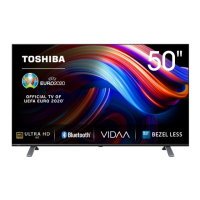


 To Next Page
 General