91
4400 Series Installation and Operation Manual – 64527-008
12.19 Tab: Help
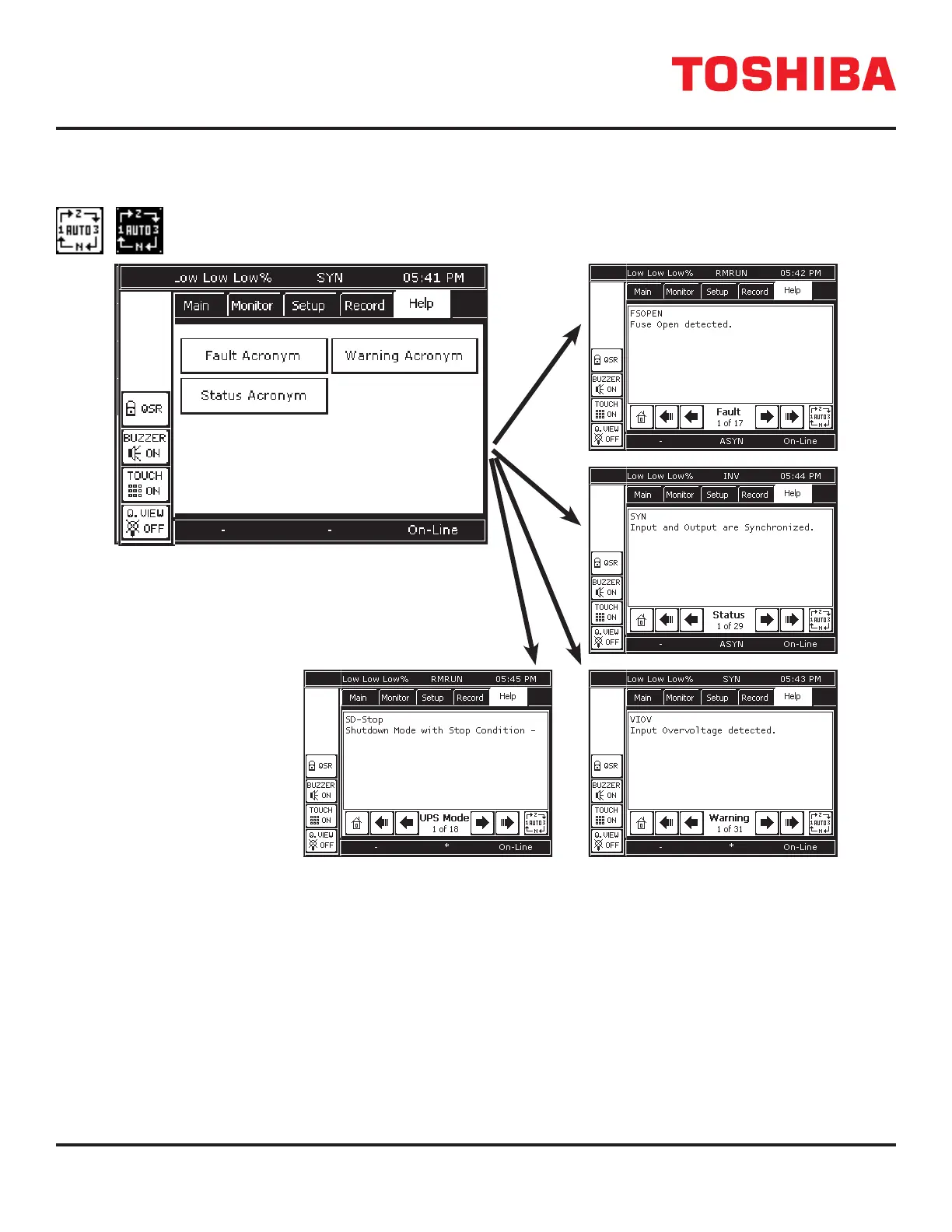
This on-line help provides ready denitions of the Acronyms displayed on the touchscreen and their denitions. Each
acronym and accompanying denition is displayed on a single page.
The navigation bar has an additional button in Record and Help called Auto-Page. Pressing Auto-Page
will cause the records to auto-page every 2 seconds. The button will alternately blink in black-on-white/
white-on-black while in Auto-Page mode. Press the button again to exit Auto-Page mode.
FIGURE 12.17: HELP CATEGORIES
12.20 4400
See Appendix B for the Command Parameter denitions and functions.



 To Next Page
 Loading...



