71
Connecting Other External Devices
Using Slim SelectBay® modules
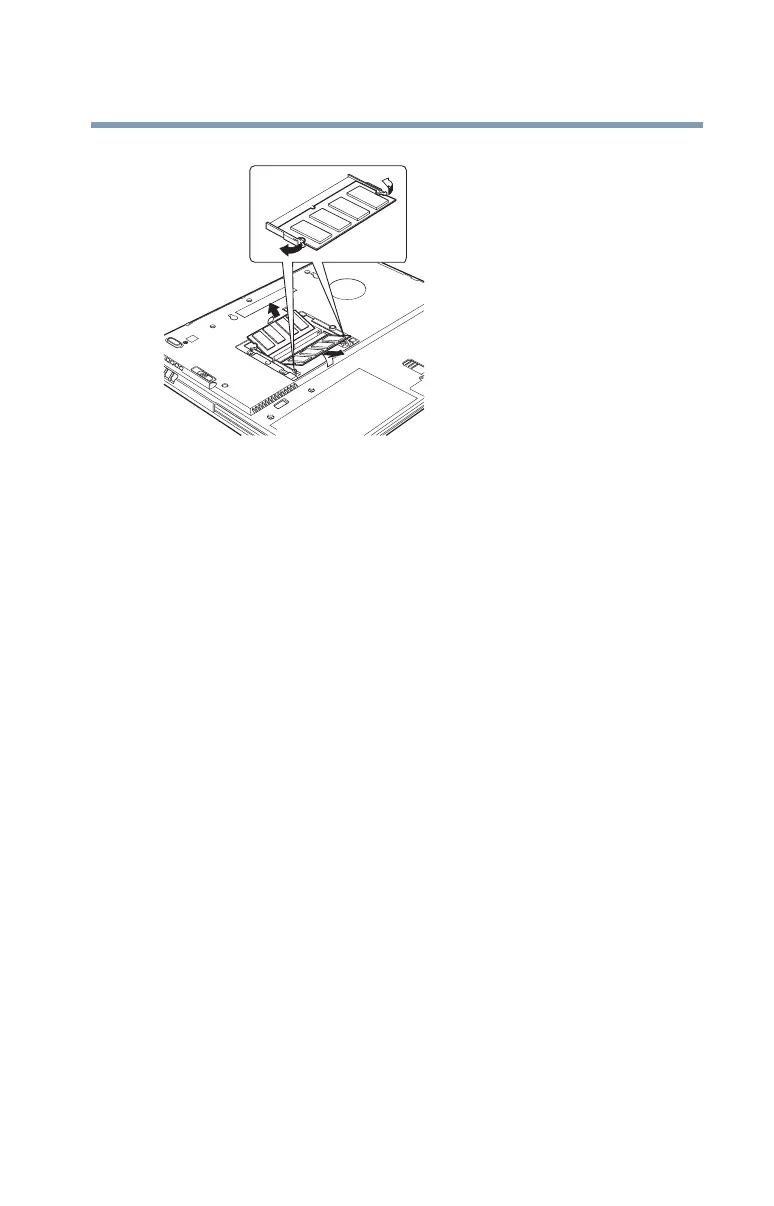
Pulling the clips away from the memory module
3 Carefully remove the module from the slot.
4 Replace the cover plate and screws.
5 Turn the computer over and restart it.
Using Slim SelectBay
®
modules
The Slim SelectBay
®
gives you additional flexibility. By inserting
and removing Slim SelectBay
®
modules, you can configure your
computer for the task at hand without having to carry unnecessary
components with you when you travel. For example, any one of
several modules can be used in the Slim SelectBay
®
:
❖ CD-ROM drive
❖ DVD-ROM drive. The DVD-ROM drive can also be used as
a standard CD-ROM drive
❖ CD-RW drive. A writable/rewritable drive.
❖ CD-RW/DVD combo drive with both CD-RW and DVD
drive.
❖ Weight saver insert (a “honeycomb” piece of plastic) that
reinforces the Slim SelectBay
®
for travel. The weight saver
came in your computer’s accessories box



 To Next Page
 Loading...










