80 EN80 EN
EDITING DISCS
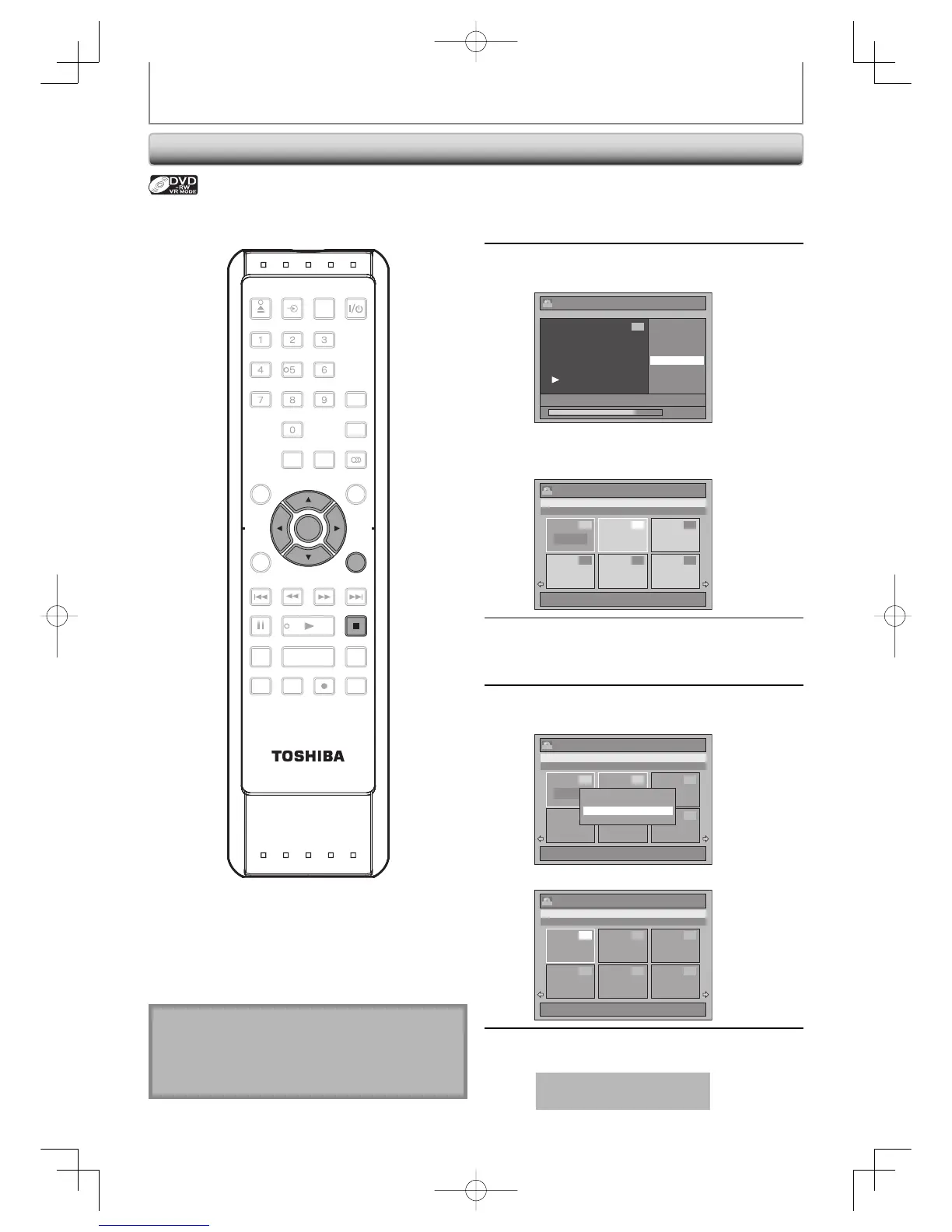
Combining Titles
1
Follow the steps 1 to 3 in “Dividing a
Title” on page 79 to display “Edit”
menu.
2
Use [K / L] to select “Title
Combining”, then press [ENTER].
Edit
Scene Delete
Edit Title Name
Chapter Mark
Title Dividing
Title Combining
JAN/ 1/07 12:00AM L1 LP
1 : 25 : 47
1
PL
Title combining setting window will appear.
Selected title grays out, and the frame of the
next title becomes yellow.
Edit - Title Combining
1 / 6
JAN/31/07 11:00PM L1 LP
11:00PM (0:30:00) JAN/31/07 L1 LP
4 5 6
2 3
PL
1
1 +
3
Use [K / L / { / B] to select another
title to combine, then press [ENTER].
Selection menu will appear.
4
Use [K / L] to select “Yes”, then press
[ENTER].
Edit - Title Combining
1 / 6
JAN/31/07 11:00PM L1 LP
11:00PM (0:30:00) JAN/31/07 L1 LP
PL
1
1 + 2
4 5 6
2 3
Combine selected titles?
Yes
No
The two titles will combine into a single title.
Title List
1 / 6
JAN/ 1/07 12:00AM L1 LP
12:00AM (2:30:00) JAN/ 1/07 L1 LP
PL
1
4 5 6
2 3
5
Press [RETURN] or [STOP C] to exit.
Data will be written onto the disc momentarily.
This operation may take
awhile to be completed.
You can combine two titles into a single title.
Note
• You cannot select the same title twice and combine
it into a single title.
• If either one of the two original titles is deleted, the
combined new title is also deleted.
SE-R0265
OPEN/
CLOSE
INPUT
SELECT
HDMI
.@/: ABC
GHI
PQRS TUV
SPACE
SETUP DISPLAY AUDIO
TOP MENU
CLEAR RETURN
MENU/LIST
WXYZ
JKL MNO
DEF
ENTER
SKIP REV
PLAY
REC MODE ZOOMRECREPEAT
PAU S E
TIME SLIP
1.3x / 0.8x PLAY
INSTANT SKIP
STOP
FWD SKIP
TIMER
PROG.
SATELLITE
LINK
ENTER
STOP
RETURN
E7E7AUDEN.indb80E7E7AUDEN.indb80 2007/01/2919:04:292007/01/2919:04:29



 To Next Page
 Loading...











