1 PREPARATION
12 Components
10. Scanning area
The data of originals transported from Automatic Document Feeder are scanned here.
P.140 “Regular Cleaning”
11. Original scale
Confirm the size of an original placed on the original glass.
12. Platen sheet
P.140 “Regular Cleaning”
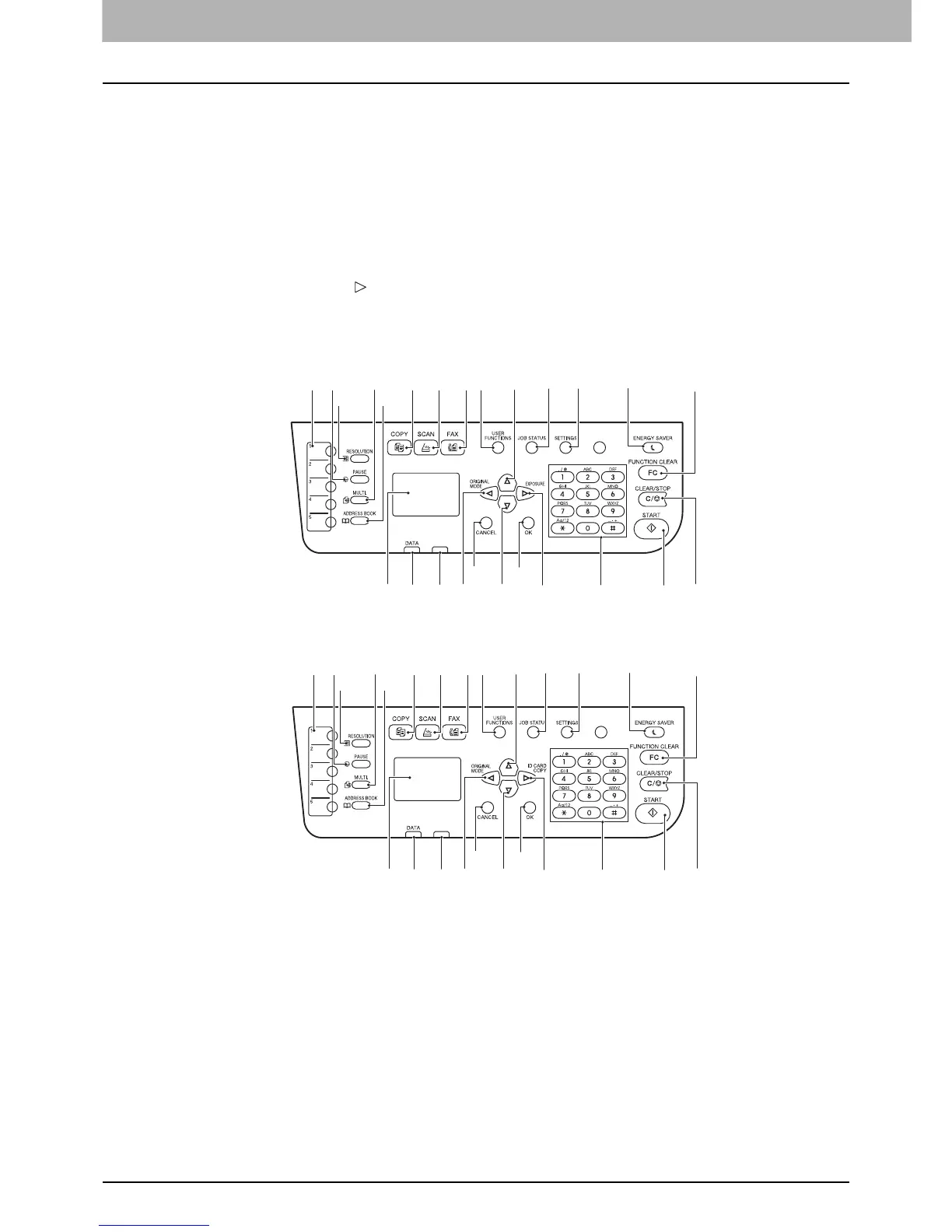
Control panel
The functions and indications of the button vary depending on the region. The illustrations show the control panel for
Europe and the Americas unless they are specified.
For Europe and the Americas
For regions other than Europe and the Americas
1. One Touch button (Only for e-STUDIO2505F)
Speed button for sending a fax.
2. [PAUSE] button (Only for e-STUDIO2505F)
Use this to sustain sending a fax.
3. [RESOLUTION] button (Only for e-STUDIO2505F)
Use this to select the resolution for sending a fax.
4. [MULTI.] button (Only for e-STUDIO2505F)
Use this to send a fax to multiple destinations.
5. [ADDRESS BOOK] button (Only for e-STUDIO2505F)
Use this to display the Address book.
96 7 82
3
16
1
20 182225
14
15
13
2324
19
10
21
12
4
5
11
17
96 7 82
3
16
1
20 182225
14
15
13
2324
19
10
21
12
4
5
11
17



 To Next Page
 Loading...




