149
7
4. 2ND LINE BOARD (OPTIONAL) INSTALLATION
Installing the 2nd line board (option) allows simultaneous dual communications of transmission/reception
like transmission during reception and reception during transmission.
When the 2nd line is used, the following function setting and registration are required.
- Registering terminal ID "2.REGISTERING THE TERMINAL ID" Page 142
- Dial type setting
- Line-2 setting
* The 1st line takes precedence in the initial setting (not including the case in which LINE 2 is selected on
the LINE SELECT when you register remote Fax numbers into the address [Operator’s Manual for Basic
Function]). If you want the 2nd line to have priority in the initial setting, ask your service technician.
Dial Type Setting
1
Press the [USER FUNCTIONS] button on
the control panel.
2
Press the [ADMIN] button to enter the
administrator password menu.
- See the [User Functions Guide] for the administrator password.
3
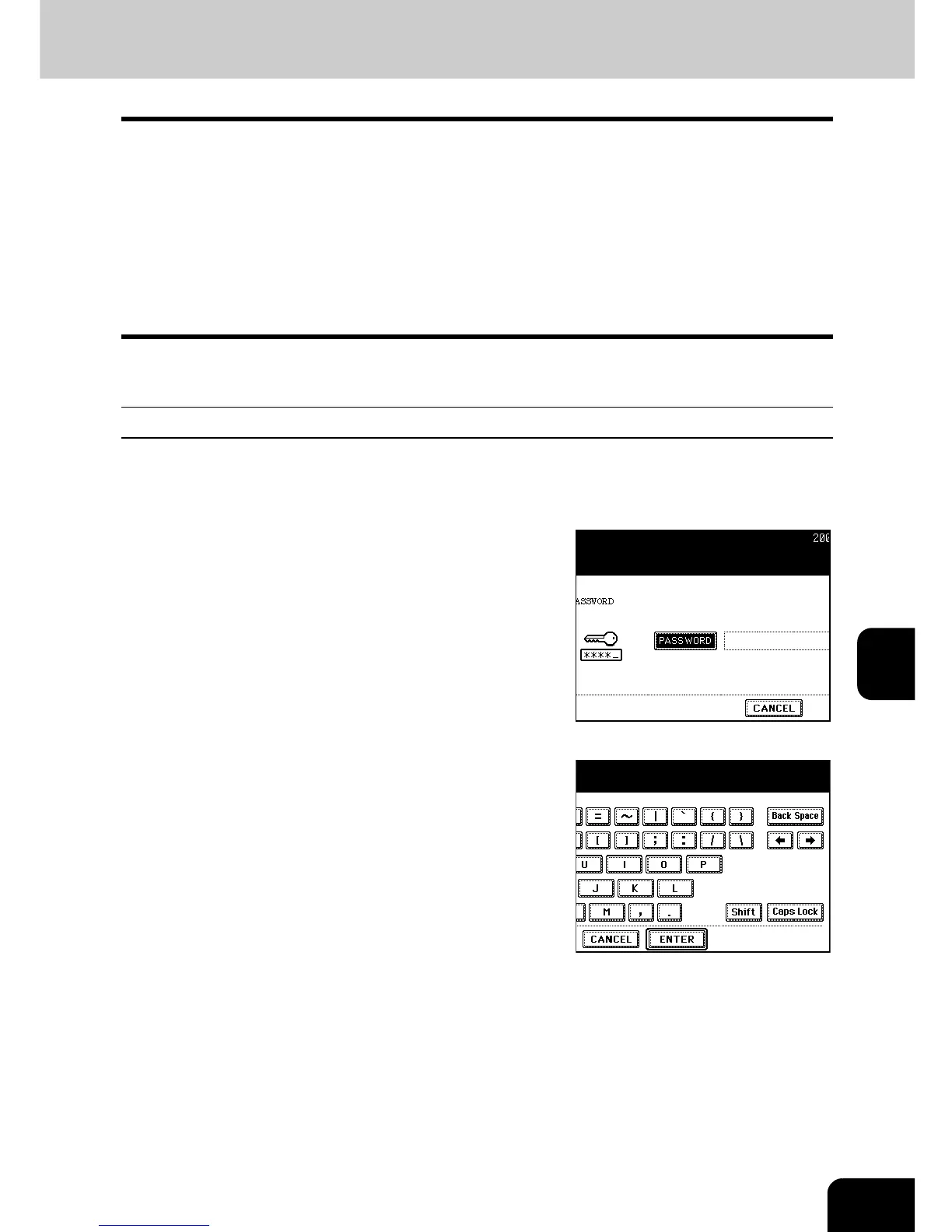
Press the [PASSWORD] button, enter the
administrator password, and then press
the [ENTER] button.



 To Next Page
 Loading...




