29
2
Setting Originals
When Setting Originals on the Glass
Originals are sent in the order they are placed on the original glass in both the memory TX and direct TX
modes.
1
Raise the Reversing Automatic Document
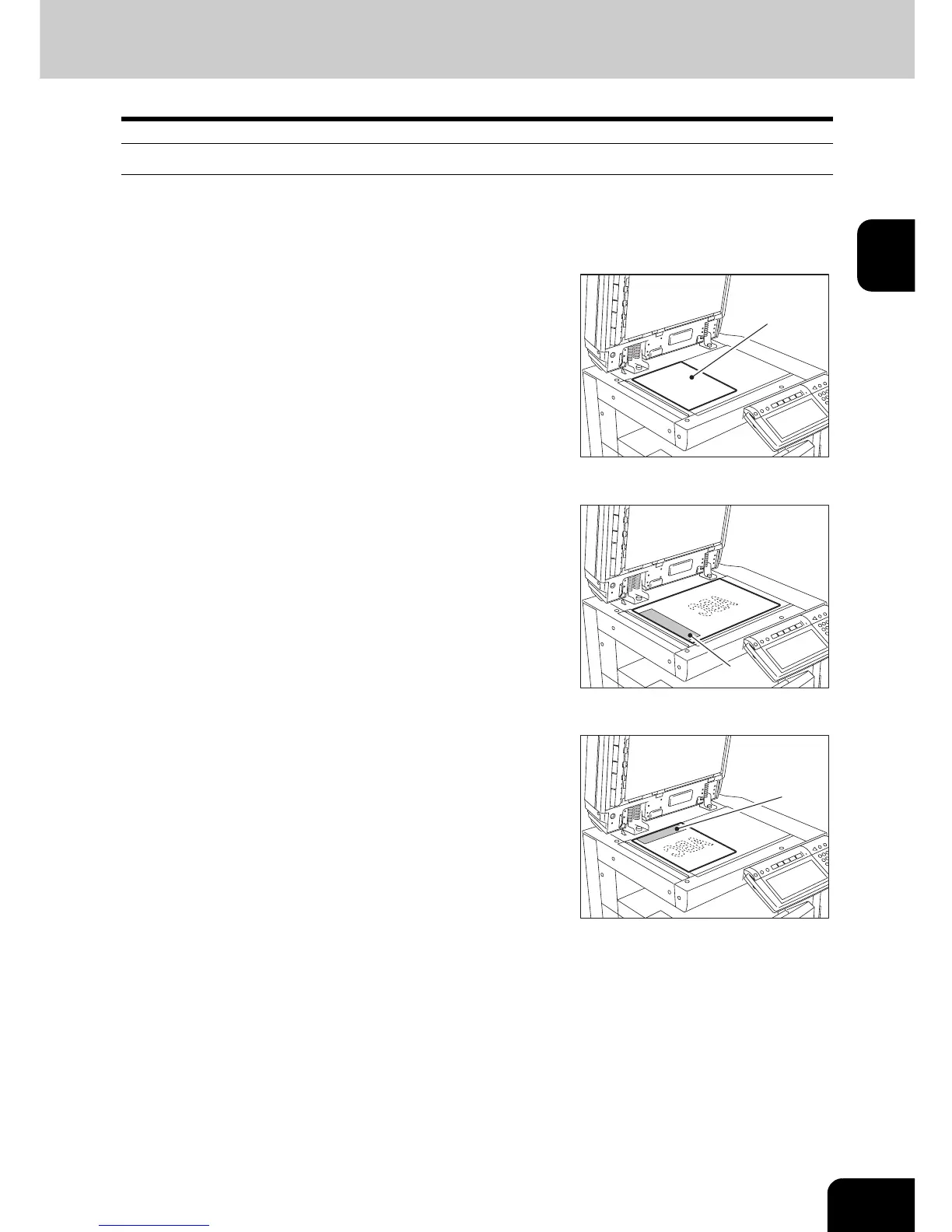
Feeder, place the original (A) with its face
down on the glass.
- Raise it 60 degrees or more to detect the original.
2
Align the original against the left inner
corner of the glass.
- Different size originals can also be sent in one transmission.
- When LD, LG, LT-R, ST, COMP, A3, A4-R, A5, B4, B5 or FOLIO
originals are placed as shown in the figure on the right, the pre-
entered sender information is printed in the shaded position
shown (B) in the figure and sent to the remote Fax.
- Entering the sender information "2.REGISTERING THE
TERMINAL ID" Page 142
- When transmitting non-standard-sized originals, best results are
obtained by placing the originals horizontally on the glass.
- When LT, ST-R, A4, A5-R or B5-R originals are placed as shown
in the figure on the right, the pre-entered sender information is
printed in the shaded position shown (C) in the figure and sent to
the remote Fax.
3
Lower the Reversing Automatic
Document Feeder slowly.
(
A
)
(
B
)
(
C
)



 To Next Page
 Loading...




