70
4.CHECKING AND CANCELING THE COMMUNICATIONS
1.CHECKING TRANSMISSION RESULTS (Cont.)
4
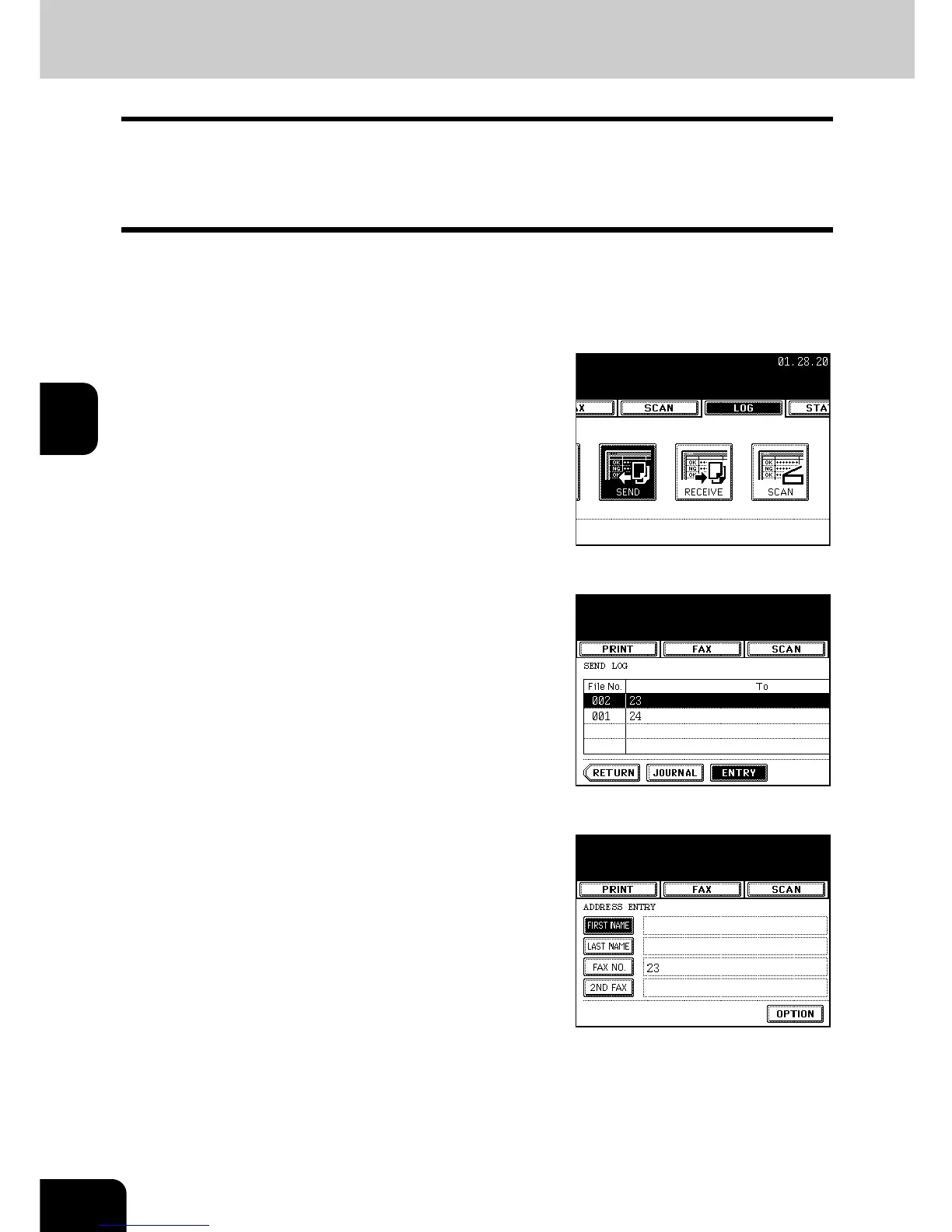
Address Registration from Send/Receive Log
You can register the information such as the remote Fax numbers and E-mail addresses in the address
book from the send/receive log screen.
* The remote FAX numbers can be registered from the Receive log only when dialed by the direct entry
using the digital keys as part of a Polling Reception.
1
Press the [JOB STATUS] button on the
control panel.
2
Press the [LOG] button to enter the log
menu, and then press the [SEND] or
[RECEIVE] button.
3
Select the remote Fax you want to register
in the address book, and then press the
[ENTRY] button.
4
Select the item button you want to
register, and then enter the recipient's or
sender's information.



 To Next Page
 Loading...




