51
5
SETTING UP BUTTON MANAGER
Button Manager is a software program that works with the scanner driver to enable
scanning from the machine.
To scan using the machine, Button Manager must be linked with the scan menu on
the machine. Follow the steps below to link Button Manager to scanner events.
Windows XP
1
Click the "start" button, click "Control Panel", click "Printers
and Other Hardware", and then click "Scanners and Cameras".
2
Click the "TOSHIBA e-STUDIOXXXX" icon and select
"Properties" from the "File" menu.
3
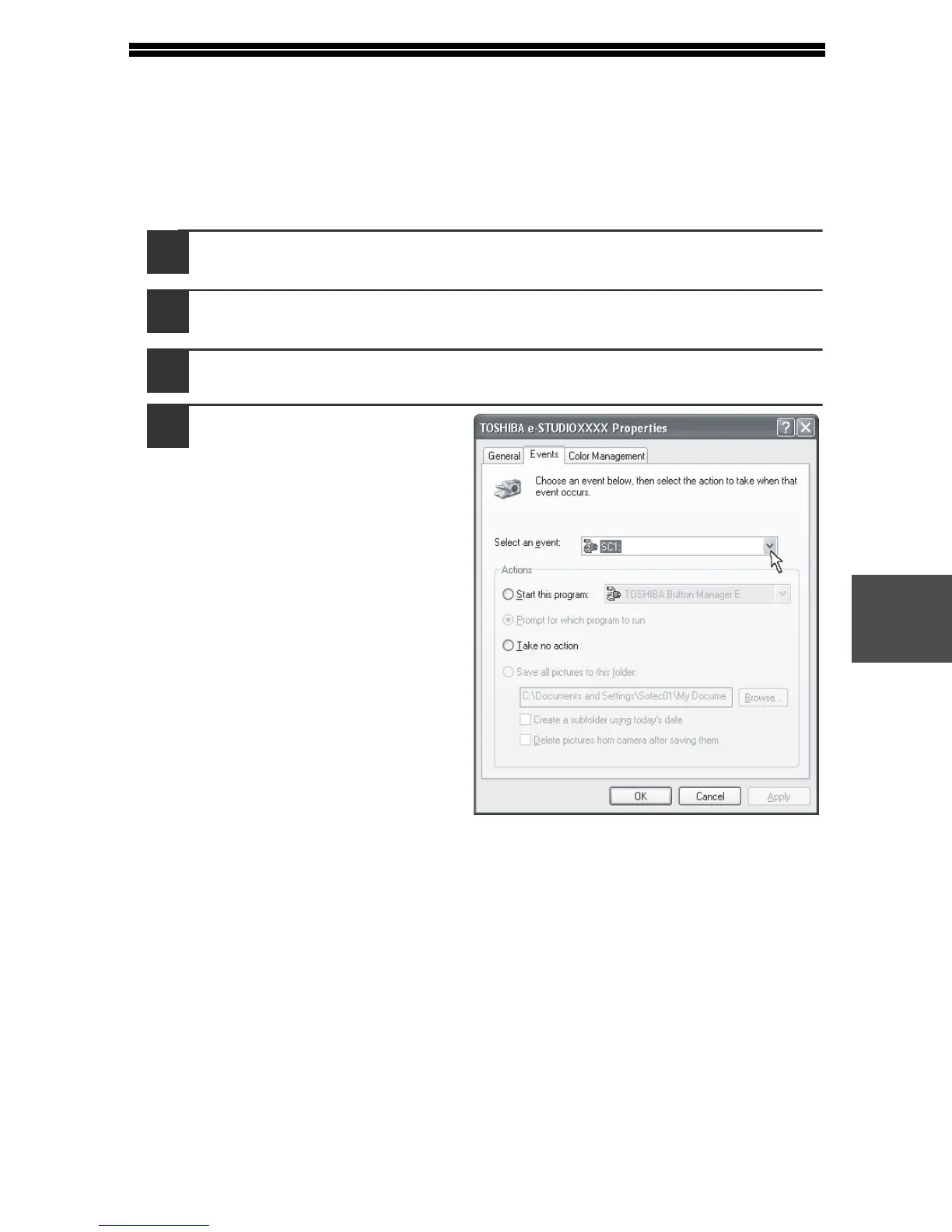
In the "Properties" screen, click the "Events" tab.
4
Select "SC1:" from the
"Select an event"
pull-down menu.



 To Next Page
 Loading...








