88
CLEANING THE MACHINE
Proper care is essential in order to get clean, TOSHIBA copies. Be sure to take a few
minutes to clean the machine on a regular basis.
Cabinet
Wipe the cabinet with a soft, clean cloth.
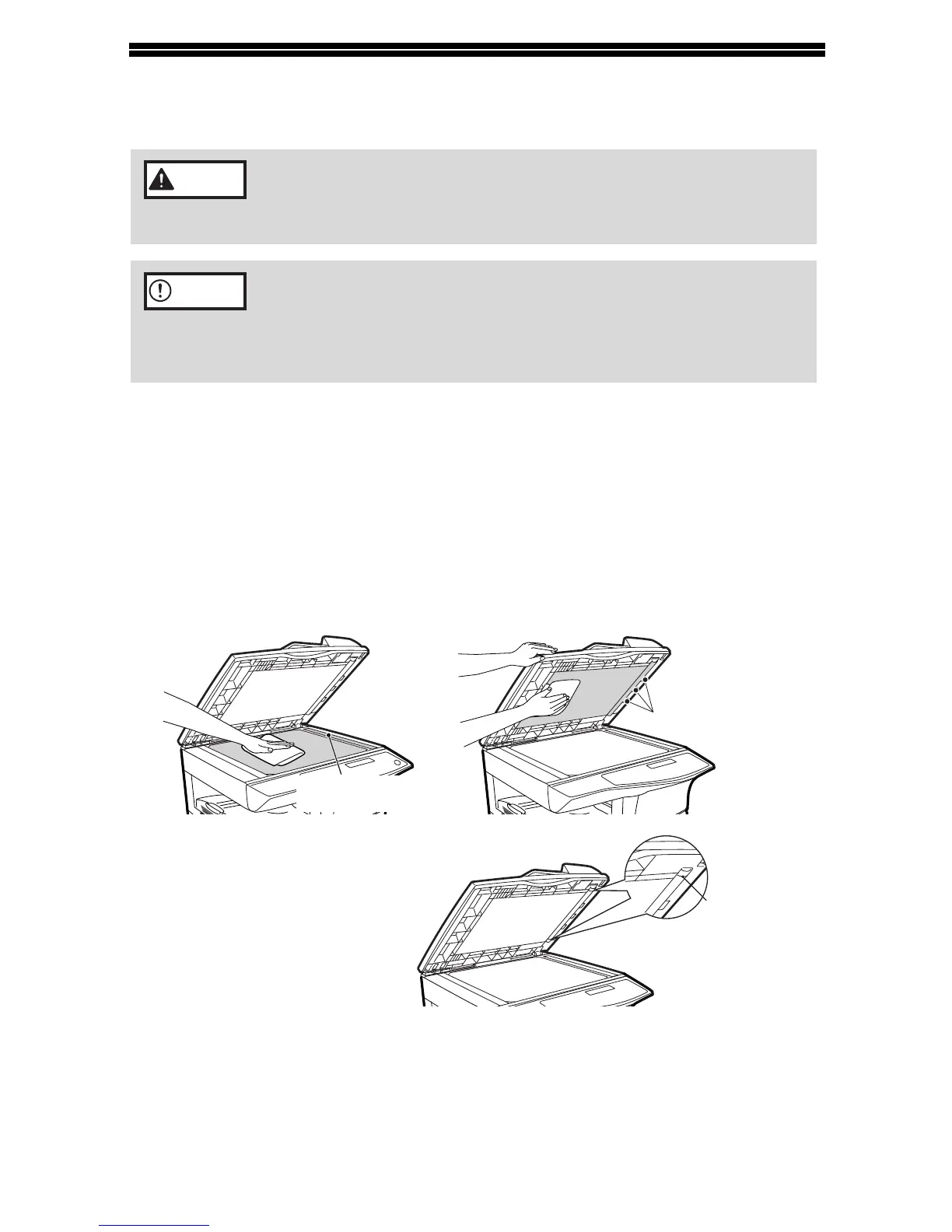
Document glass and the back side of the document cover/
ADF/RADF
Stains on the glass, ADF/RADF scanning window, cover or ADF/RADF roller will
also be copied. Wipe the glass, ADF/RADF scanning window, cover and ADF/RADF
roller with a soft, clean cloth. If necessary, dampen the cloth with a glass cleaner.
Do not spray flammable cleaner gas. Gas from the spray may
come in contact with the internal electrical components or high-
temperature parts of the fusing unit, creating a risk of fire or
electrical shock.
• Before cleaning, be sure to turn the power switch off and remove
the power cord from the outlet.
• Do not use thinner, benzene or other volatile cleaning agents.
Doing so may cause deformation, discoloration, deterioration or
malfunction.
Warning
Caution
ADF/RADF
Scanning window
ADF/RADF roller
Document glass/scanning window Document cover/ADF/RADF
Black line
Wipe the area marked by the
black line in the illustration. If
this area is dirty, copying from
the ADF/RADF will not be
possible.



 To Next Page
 Loading...








