3 DESCRIPTION OF THE FUNCTIONS
142 Copy
Copy
How to operate "Copy" and each function
Copying with your e-STUDIO163/203/165/205
You can remotely control your e-STUDIO163/203/165/205 to copy the documents.
1
Click Copy on Main Welcome Menu.
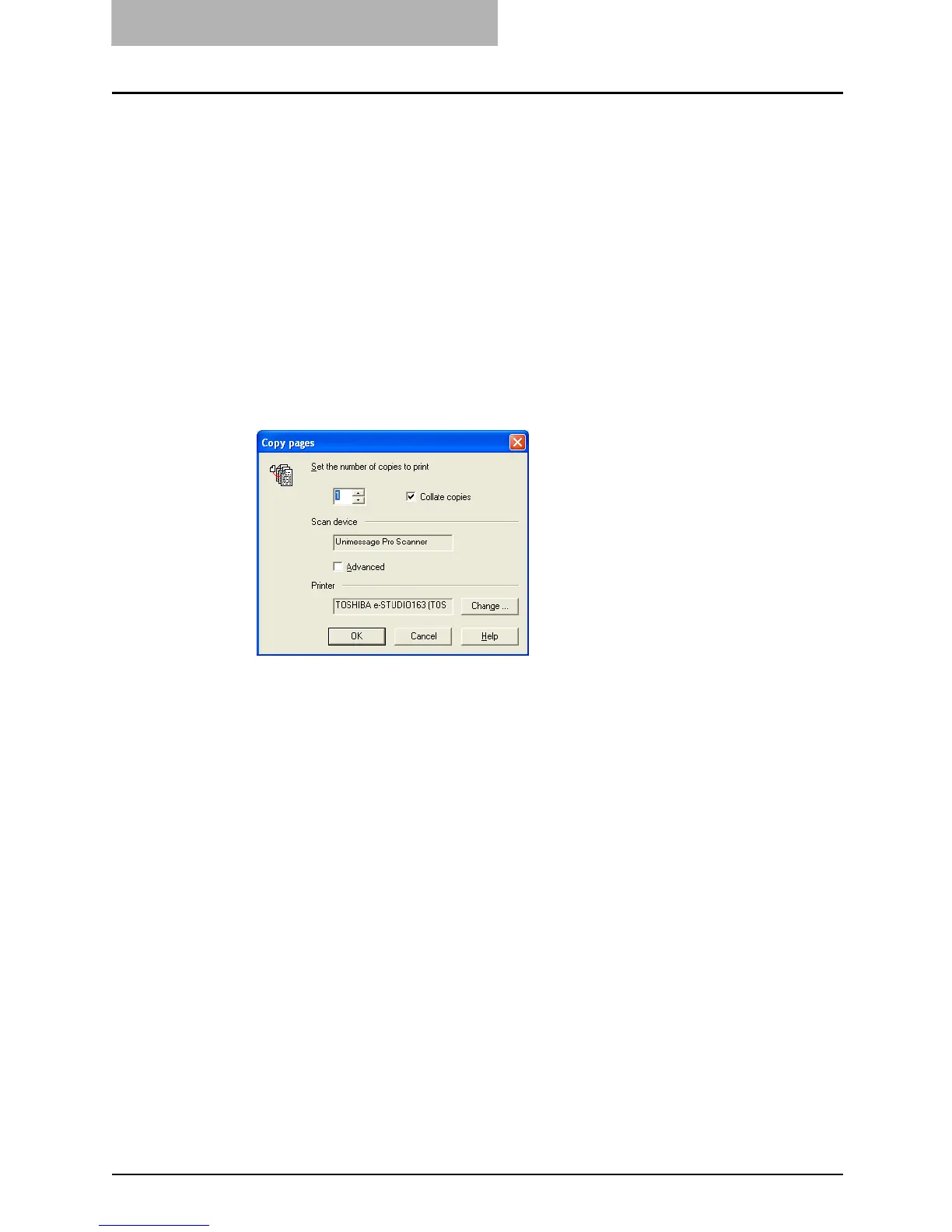
Copy pages dialog appears.
2
Enter each attribute for copying.
y Enter the number of copies to be copied.
y When you want to collate the copies, check on [Collate copies].
y Check on [Advanced] if you want to scan different pages with different resolutions or
double sided documents.
y Click on [Change...] to select the printer driver to be used for copying.
y For further details of the Copy pages dialog, click [Help] to view a related help topic.
3
Click on [OK] to start copying.



 To Next Page
 Loading...











