Using Bypass Tray 49
Bypass copying
This section describes the bypass copying procedure.
1
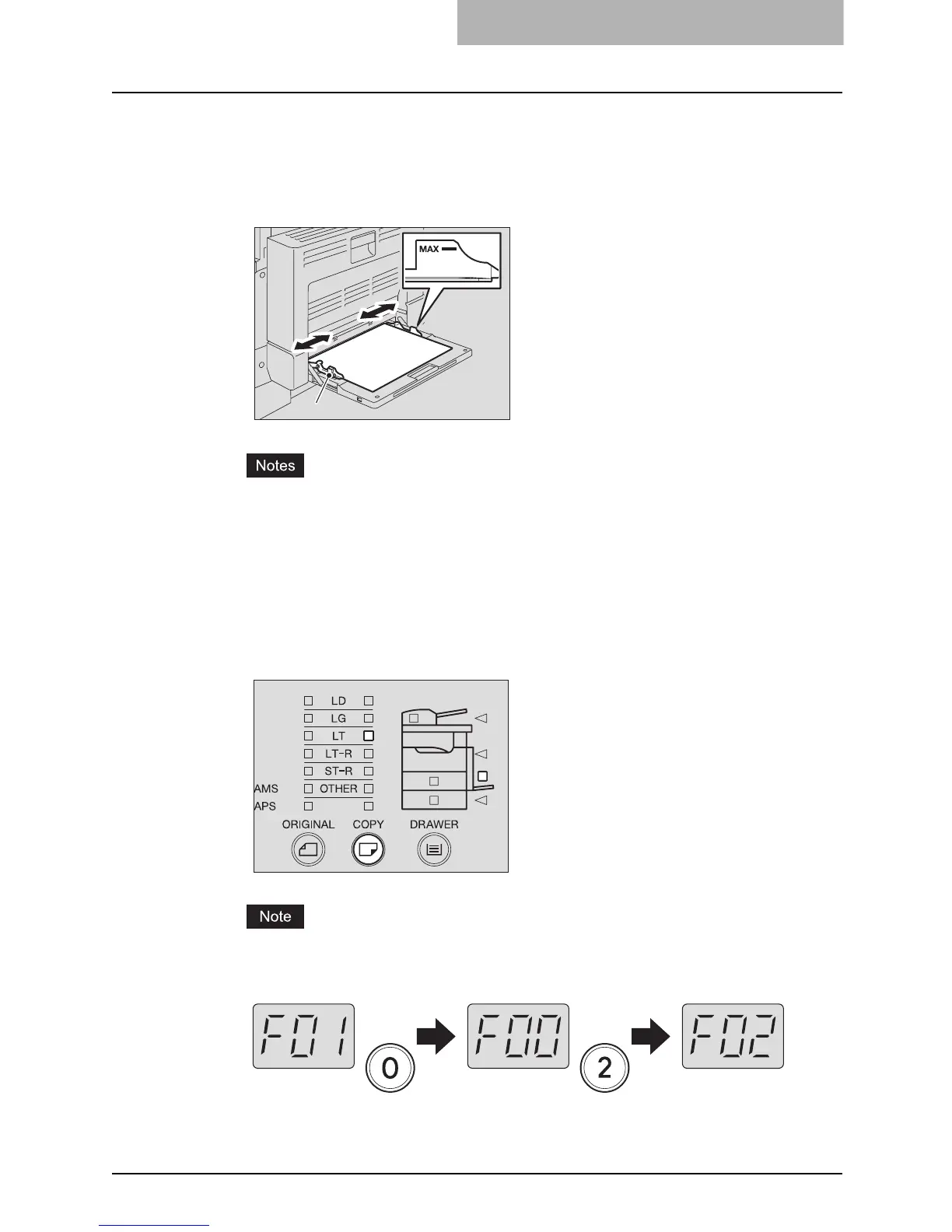
Place paper straight on the bypass tray face down. Then align the
side guides to the paper length while holding (A).
y Be sure that the stack height of paper does not exceed the indicators of the side
guides.
y Fan the stack of paper well before placing it on the bypass tray.
y Do not push the paper forcibly into the entrance of the bypass feeder. This could
cause a paper misfeed.
2
Press the [COPY] button several times until the lamp of the paper
size you placed on the bypass tray is lit.
If you copy on standard size paper other than LD, LT, LT-R, LG or ST-R, select [OTHER]
and key in the code number of the paper placed on the bypass tray.
e.g.) Placing A4 size (= code number “02”)
For the paper sizes to be registered as OTHER size, see the following page:
P.37 “Registering other standard sizes”
A



 To Next Page
 Loading...











