5
© 2012 TOSHIBA TEC CORPORATION All rights reserved e-STUDIO556/656/756/856(Ver03)
SELF-DIAGNOSTIC MODE
5 - 13
5.8 Setting mode (08)
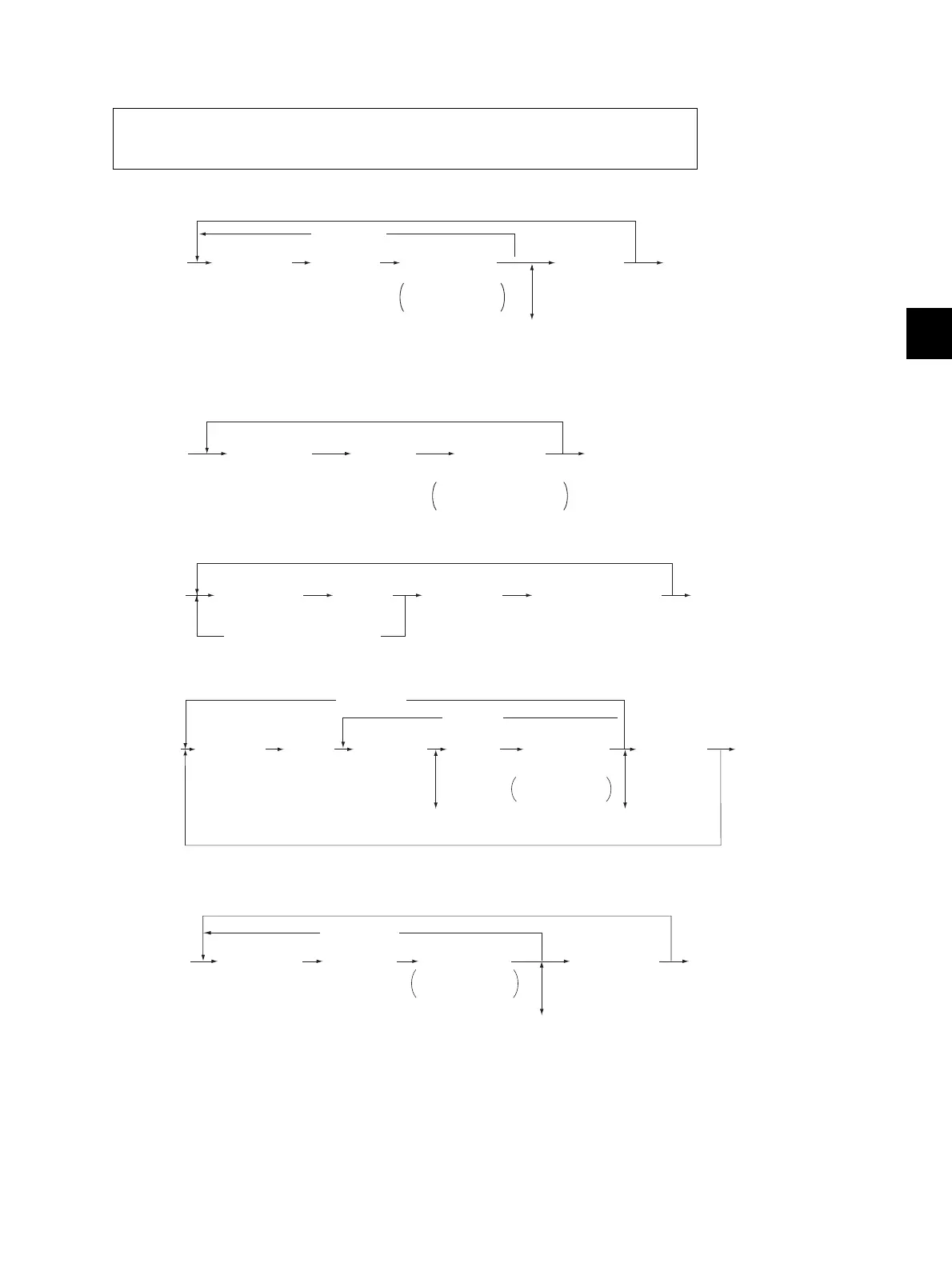
Procedure 1
* Press [FUNCTION CLEAR] to enter minus (-).
Procedure 2
Procedure 3
Procedure 4
* Press [FUNCTION CLEAR] to enter minus (-).
Procedure 5
The items in the setting code list can be set or changed in this setting mode (08).
When the power should be turned OFF, be sure to shut down the equipment by pressing
the [ON/OFF] button for a few seconds.
(Stores value in RAM)
[0][8]
[POWER]
[POWER] OFF/ON
(Exit)
[Digital key]
(Code)
[START]
[Digital key]
*
[FUNCTION CLEAR]
[OK]
or
[INTERRUPT]
Sets or
changes value
[CLEAR]
(Corrects value)
[CANCEL]
[0][8]
[POWER]
[POWER]OFF/ON
(Exit)
[Digital key]
(Code)
[START]
[OK]
or
[INTERRUPT]
Adjustment value
cannot be changed
[0][8]
[POWER]
[POWER] OFF/ON
(Exit)
[Digital key]
(Code)
[START]
[CANCEL] or [CLEAR]
(Automatic setting)
[INITIALIZE]
or
[INTERRUPT]
[0][8]
[POWER]
[POWER]
OFF/ON
(Exit)
[Digital key]
(Code)
[Digital key]
(Sub-code)
[Digital key]
*
[FUNCTION CLEAR]
Sets or
changes value
[START] [START]
[OK]
or
[INTERRUPT]
(Stores value
in RAM)
[CLEAR]
(Corrects value)
[CLEAR]
(Corrects value)
[START]
[CANCEL]
[0][8]
[POWER]
[POWER] OFF/ON
(Exit)
[Digital key]
(Code)
[Digital key]
[START]
[CANCEL]
[OK]
or
[INTERRUPT]
[CLEAR]
(Corrects value)
(Stores value in RAM)
Sets or
changes value



 To Next Page
 Loading...











