User’s Manual 2-4
The Grand Tour
Back side
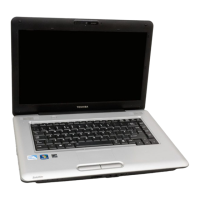
The following figure shows the computer’s back panel.
* The availability of this feature is dependent on the model you purchased.
1. RGB (Monitor) Port
2. USB Ports
3. LAN Jack
4. Modem Jack*
5. DC-In 19V Jack
6. Fan vents
5 61 2 3 4
RGB Monitor Port This 15-pin port lets you connect an external
video display to the computer.
Universal Serial Bus
(USB) Port
The Universal Serial Bus (USB 2.0 and 1.1
compatible) port enables USB-equipped devices
such as keyboards, mice, hard drives, scanners,
and printers to be connected to the computer.
LAN Jack This jack lets you connect to a LAN. The adapter
has built-in support for Ethernet LAN
(10 megabits per second, 10BASE-T), Fast
Ethernet LAN (100 megabits per second,
100BASE-TX).
Modem Jack In regions where an internal modem is installed
as standard equipment, this jack lets you use a
modular cable to connect the modem directly to a
telephone line.
DC IN 19V Jack The DC IN jack is where you plug in the AC
adapter.
Fan vents The fan vents help prevent the CPU from
overheating
To prevent possible over heating of the CPU, never block the fan vent.



 To Next Page
 Loading...