- 32 -
Basic
Photography
Playing Back/
Erasing Images
Other
Applications
Additional
Information
Getting Ready
About SmartMedia™ (continued)
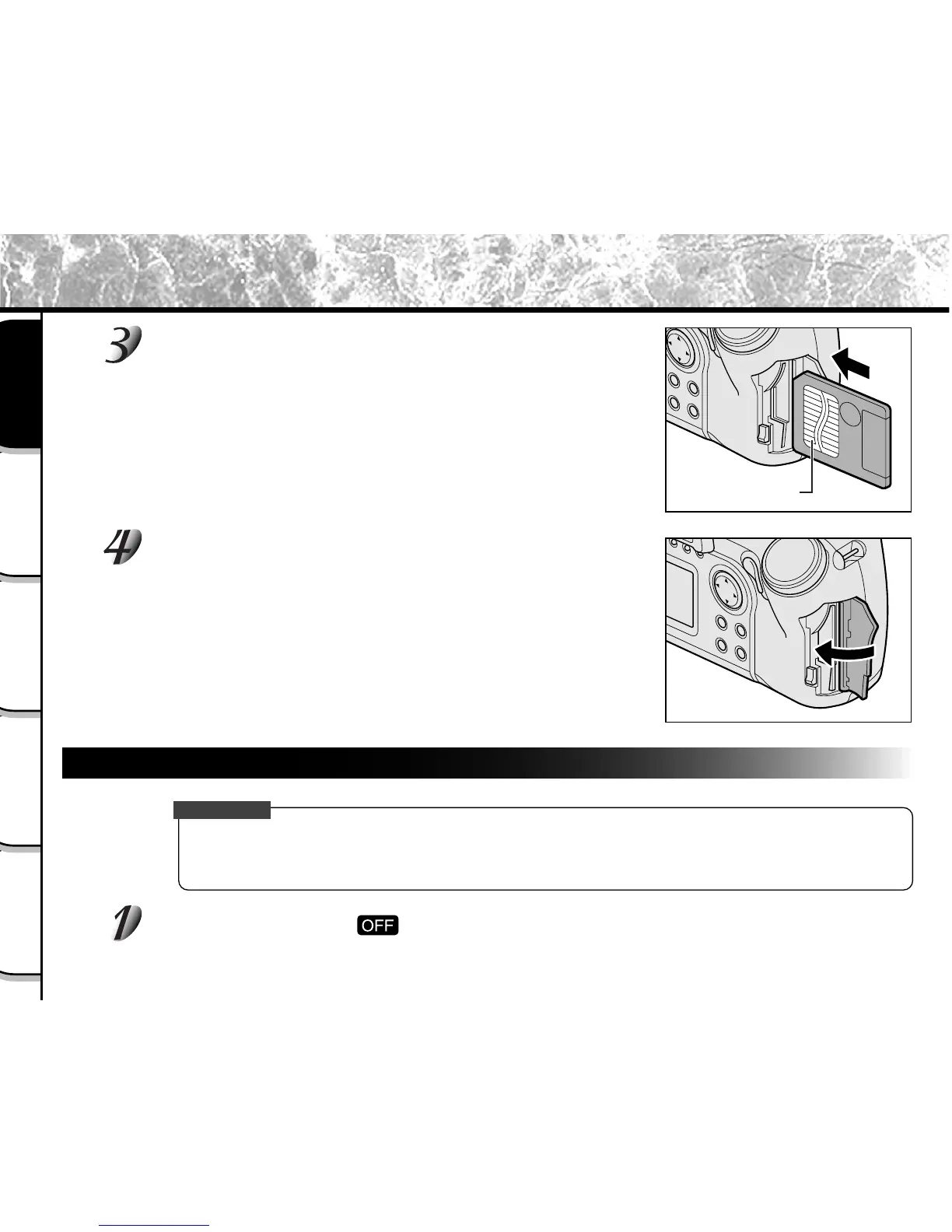
Gently insert the SmartMedia™ as far as it can go
with the SmartMedia™ electrodes (metal contacts)
facing the rear of the camera.
Close the SmartMedia™ cover.
Before you use a new SmartMedia™, be sure to format the
SmartMedia™ (
➲
Page 89).
Removing SmartMedia™
IMPORTANT
• Never open the SmartMedia™ cover or remove the SmartMedia™ while data is being recorded to the
SmartMedia™ (viewfinder is lit red). This might damage the SmartMedia™ or corrupt the data on the
SmartMedia™.
Set the mode dial to [ ].
Electrodes



 To Next Page
 Loading...









