- 39 -
Playing Back/
Erasing Images
Other
Applications
Additional
Information
Basic
Photography
Getting Ready
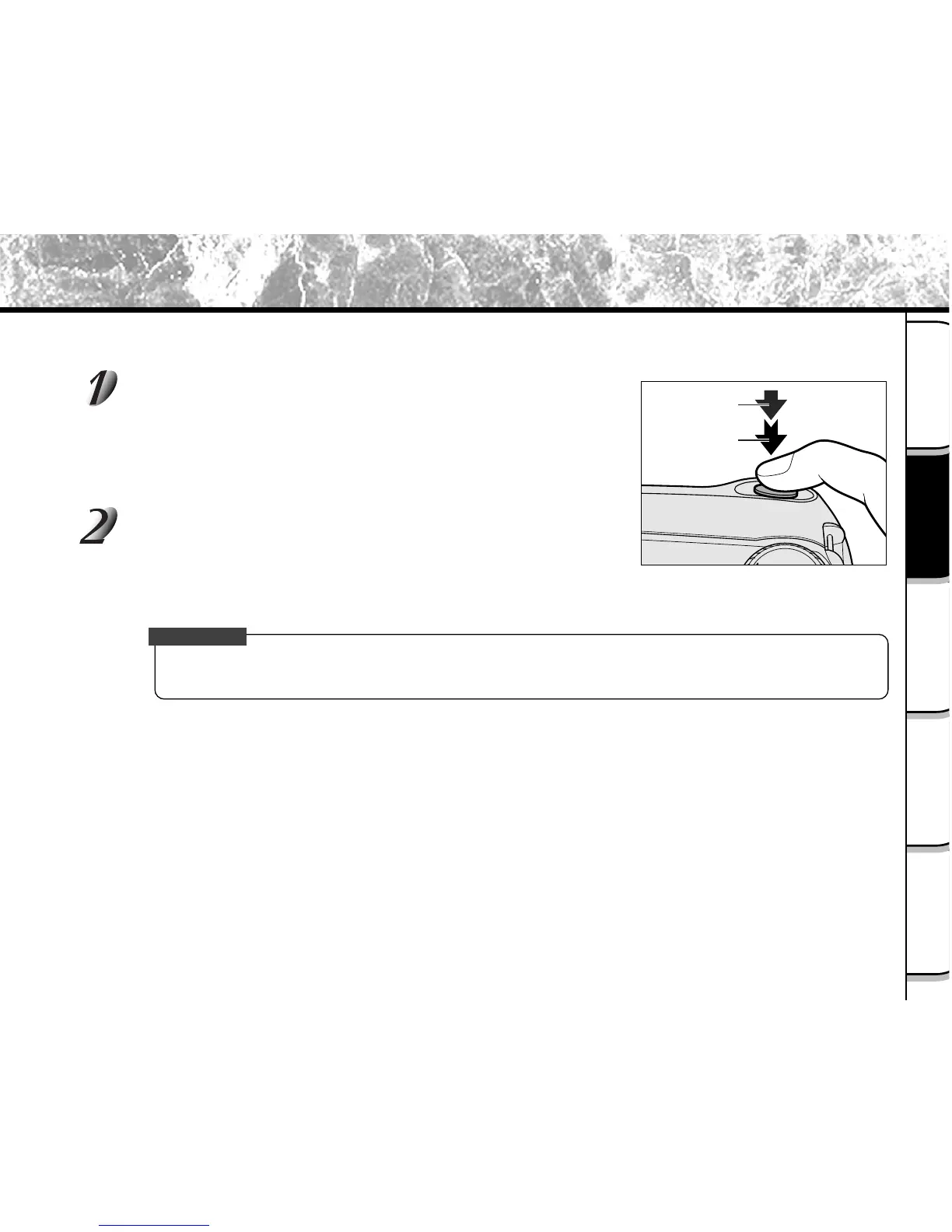
How to Press the Shutter Button
The shutter button can be pressed down in two stages: half way down and fully down. When pressed half way down,
AF (auto-focus) and AE (auto exposure) are carried out. When pressed fully down, the camera takes a picture.
Press the shutter button down half way q.
AF (auto-focus) and AE (auto exposure) (
➲
Additional Information,
Glossary) start to function.
When AF or AE are locked, the beep tone (
➲
Page 95) sounds and
the viewfinder LED turns green.
Press the shutter button down fully w.
The camera takes a picture.
The viewfinder LED turns red while image data is being recorded
onto the SmartMedia™.
IMPORTANT
• Never open the SmartMedia™ cover or remove the SmartMedia™ while an image is being recorded.
This may corrupt the data on the SmartMedia™ or damage the SmartMedia™ itself.
q Press down
half way.
w Press down
fully.



 To Next Page
 Loading...









