RemotEye 4 User Manual – 90988-007 35
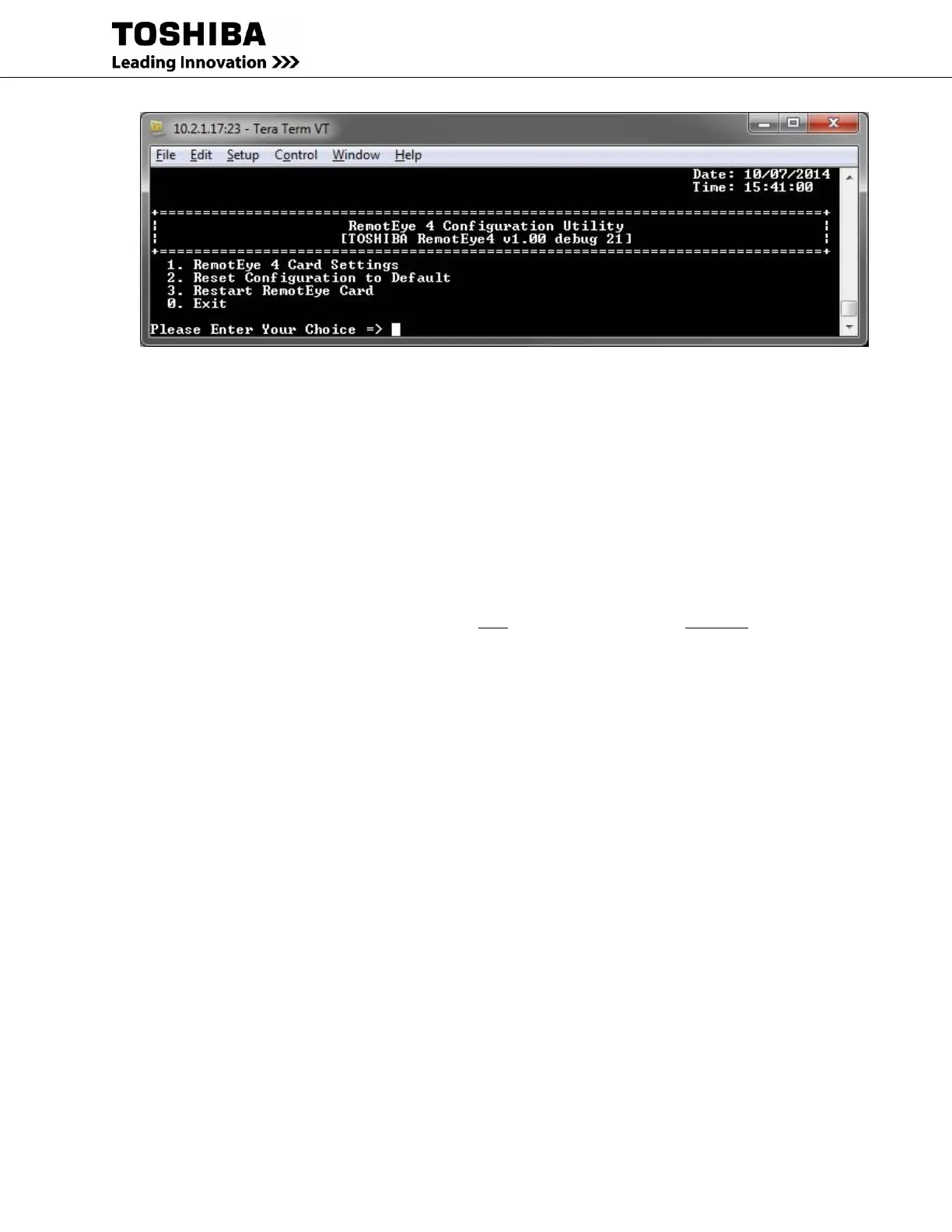
Figure 4-5 RemotEye 4 Configuration Utility Main Menu
9. This is the built-in RemotEye 4 Console configuration utility main menu.
10. Navigate to the IP Network setup:
10.1. Main Menu
(1) RemotEye 4 Card Settings
(1) IP, Time and System Group
(1) IPv4 Group
10.2. Enter the IP Network, Mask, etc.
11. Exit Console: (0) Return to previous menu
(0) Return to previous menu p
(0) Return to previous menu
(0) Back to Main Menu
(0) Exit
12. Log off.
13. Connect RemotEye 4 to the network switch/router/hub with Cat 5 cable.
14. Open web browser.
15. Type in IP address assigned in Step 10.2
16. On log in page click on First Time Setup. Default User is “TOSHIBA”, the default Password is
“ADMIN”.
17. GO TO Section 5 - System Configuration



 To Next Page
 Loading...

