Changing Bottles
8
H. TROUBLE SHOOTING
The low/empty water pilot lamp will ash to alert you when the water level in the bottle is low
or when the bottle is empty.
Replace the bottle with a lled-one, as soon as possible.
Caution: Do not dispense hot or cold water when the low/empty water pilot lamp is ashing,
as this could empty the tanks and cause the dispenser to overheat.
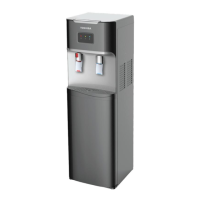
1. Turn OFF the heating and cooling switches.
2. Open the lower door.
3. Slide the empty bottle out of the cabinet.
4. Remove the probe assembly from the empty bottle and hook the probe assembly on the
probe hanger.
5. Set the empty bottle aside.
6. Place a fresh and lled bottle outside the cabinet. Clean the outside of the new bottle, with
a piece of cloth.
7. Insert the probe into the bottle. Push the probe assembly downward until it clicks in place
and until the tube hits the bottom of the bottle.
8. Slide the bottle into the cabinet and close the door.
9. The pump will then begin to move water from the bottle to the hot and cold tanks. When
the low/empty water pilot lamp stops ashing, you may turn on the heating or cooling
switch, as needed.


 To Next Page
 Loading...